
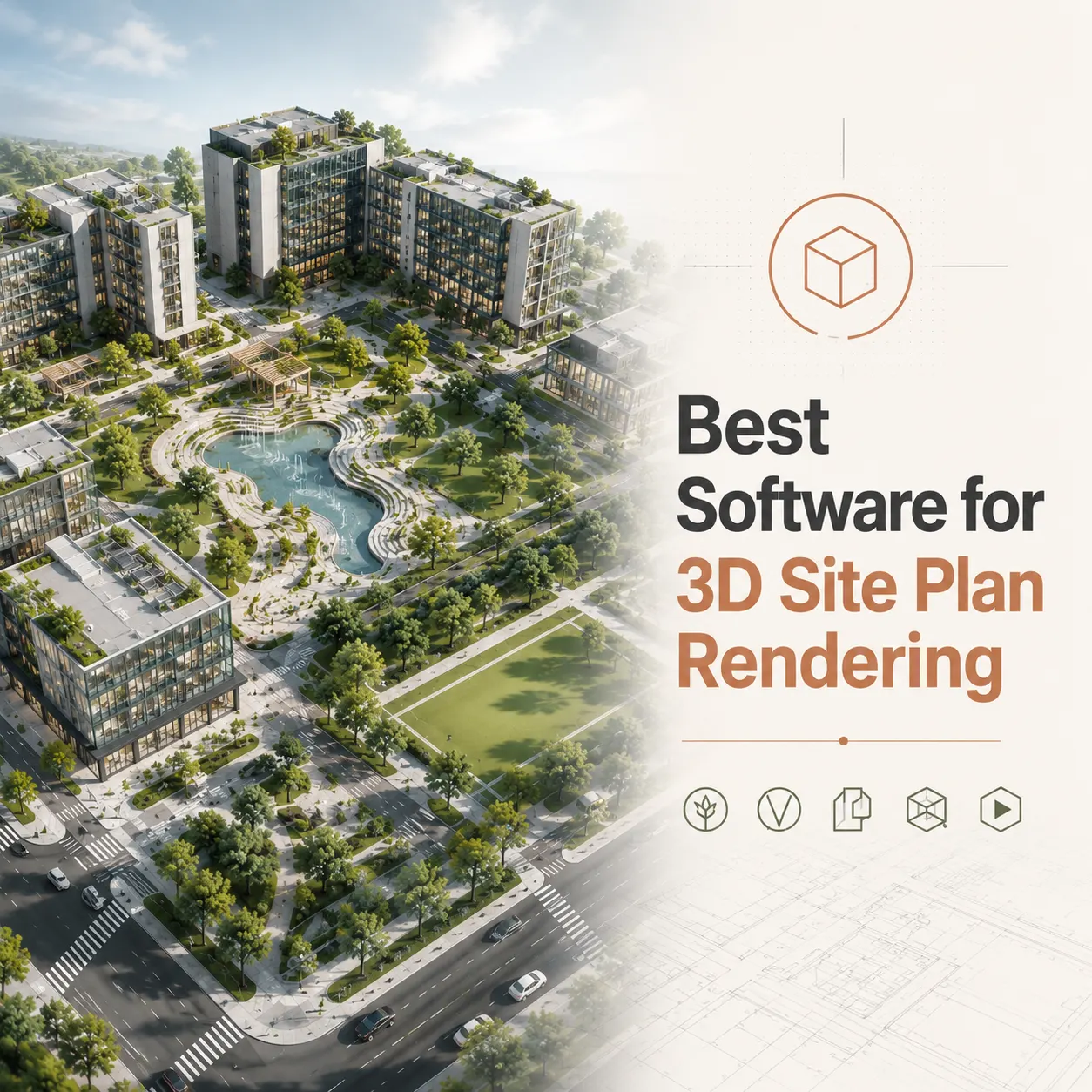
The best software for 3D site plan rendering depends on project complexity and output requirements: Autodesk 3ds Max paired with V-Ray or Corona Renderer delivers the highest level of photorealistic accuracy and material fidelity for high-stakes development presentations, while Lumion and Twinmotion lead for speed and landscape-rich aerial visualizations. For BIM-integrated workflows requiring live synchronization with Revit or ArchiCAD, Enscape and D5 Render offer the most efficient real-time rendering pipelines without sacrificing geometric accuracy.
This technical comparison breaks down each platform’s strengths, limitations, and ideal use cases so that architects, developers, and project managers can select the right tool for every project type.
Choosing the right software transforms how your project is perceived – by investors, planning boards, and potential buyers. Working with a studio that masters the full rendering pipeline means the difference between a generic overhead map and a compelling, photorealistic 3D site plan rendering that wins approvals and closes deals.
In this blog resource, we will review different software and their combinations, accordingly we will try to find out their pros and cons.
Why Software Choice Matters for Site Plan Rendering Accuracy
Not all rendering engines were built with site plans in mind. Many architectural visualization tools excel at close-up building facades or interior spaces but struggle with the demands of large-scale aerial site work.
Site plan rendering accuracy depends on several technical factors:
- Geometric precision: Can the software import CAD geometry without distortion or scaling errors?
- Topographic handling: How well does it process graded terrain, contour data, and elevation meshes?
- Vegetation and landscape libraries: Does it offer diverse, species-accurate tree and plant assets at scale?
- Aerial perspective quality: Can it produce convincing bird’s-eye or oblique views without visual artifacts?
- Material resolution: Does texture quality hold up at high zoom levels and large print formats?
- GIS and Civil 3D compatibility: Can it import georeferenced data and topographic surveys accurately?
These factors vary significantly across the major platforms, and understanding them before you brief a studio – or evaluate a rendering – will help you set better expectations and get better results.
The Main Contenders: Best Software for 3D Site Plan Rendering
The professional architectural visualization industry operates around a relatively defined set of platforms. Each occupies a distinct position in the accuracy-versus-speed spectrum.
1. Autodesk 3ds Max with V-Ray or Corona Renderer
Best for: Maximum photorealistic accuracy, high-resolution print deliverables, complex material specifications, and award-quality presentation renderings.
3ds Max remains the production standard for studios that prioritize visual quality above all else. When paired with V-Ray – developed by Chaos Group – the combination delivers physically based lighting simulation, spectral light calculations, and material accuracy that is unmatched in the market.
Key strengths for site plan work:
- Imports DWG and DXF files with high geometric fidelity
- Supports displacement mapping for accurate terrain representation
- V-Ray’s physically based renderer produces consistent, accurate material behavior under all lighting conditions
- Extensive procedural vegetation tools via Forest Pack and RailClone plugins
- Output resolution is effectively unlimited, supporting print sizes from A0 to large-format billboard
Technical considerations:
- High learning curve for non-specialist users
- Requires significant hardware investment (dedicated GPU and high core-count CPU)
- Longer render times compared to real-time solutions
- Workflow is offline; no live client walkthrough capability
Ideal project types: High-rise mixed-use master plans, luxury residential subdivisions, commercial development submissions for planning authorities, investor presentation materials requiring ultra-high resolution.
2. Lumion
Best for: Fast, landscape-rich aerial site plans with large asset libraries and quick turnaround requirements.
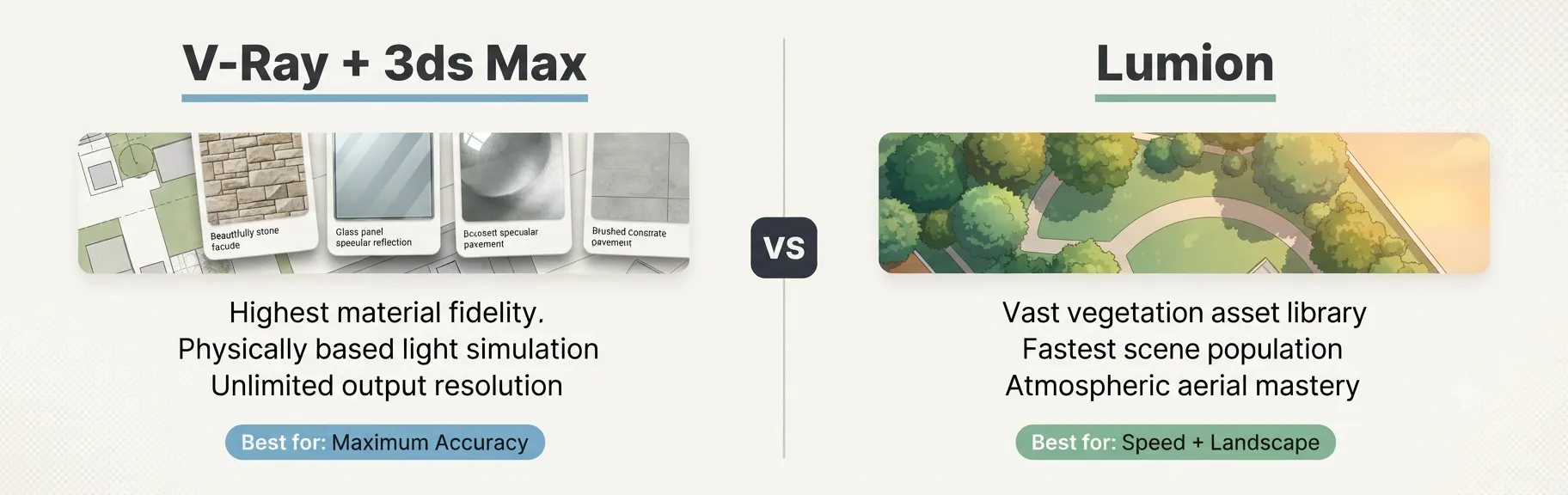
Lumion built its market position by solving one specific problem: making high-quality architectural visualization accessible without weeks of training. For site plan rendering specifically, it offers one of the largest vegetation and environmental asset libraries available in any commercial platform.
Key strengths for site plan work:
- Over 6,500 objects in its asset library, including diverse tree species, vehicles, and site furniture
- Exceptionally fast scene population for large-scale exterior environments
- OpenStreetMap integration allows direct import of real-world site context
- Orthographic view mode supports direct top-down plan rendering with texture and atmosphere
- AI upscaler available in 2025 version supports up to 8K output from lower-resolution source renders
Technical considerations:
- Material precision is lower than V-Ray for close-up surface accuracy
- GPU-dependent; requires high-end consumer or professional graphics card
- Annual licensing cost of approximately $1,149 per year for the Pro tier
- Less flexible for complex procedural geometry than 3ds Max
Ideal project types: Residential subdivision aerial views, mixed-use masterplans with extensive landscaping, planning applications requiring atmospheric context and seasonal variation, marketing materials for land developers.
3. Twinmotion
Best for: Real-time site plan visualizations with Unreal Engine-grade visual quality and tight BIM integration.
Twinmotion – powered by Unreal Engine technology and developed by Epic Games – has become a serious competitor for professional site plan work. Its direct synchronization with Revit, ArchiCAD, and SketchUp makes it a natural choice for studios that update their site plans frequently during design development phases.
Key strengths for site plan work:
- Direct one-click synchronization with Revit and ArchiCAD via DataSmith
- Nanite virtualized geometry (available in the 2025.2 release) enables vast site extents without performance degradation
- Real-time weather, season, and time-of-day adjustments for rapid iteration
- Free for students and architects earning under $1M annual revenue
- High-quality aerial and oblique views with physically based sky simulation
Technical considerations:
- Complex material customization requires Unreal Engine knowledge for advanced results
- Less mature procedural vegetation toolset than Lumion for extremely large sites
- Large file sizes for complex scenes
Ideal project types: Design-development-phase site plan iterations, large-scale urban masterplans, projects requiring animated fly-through deliverables alongside static renders.
4. Enscape
Best for: Real-time design iteration directly within BIM and CAD authoring tools, without context-switching to a standalone renderer.
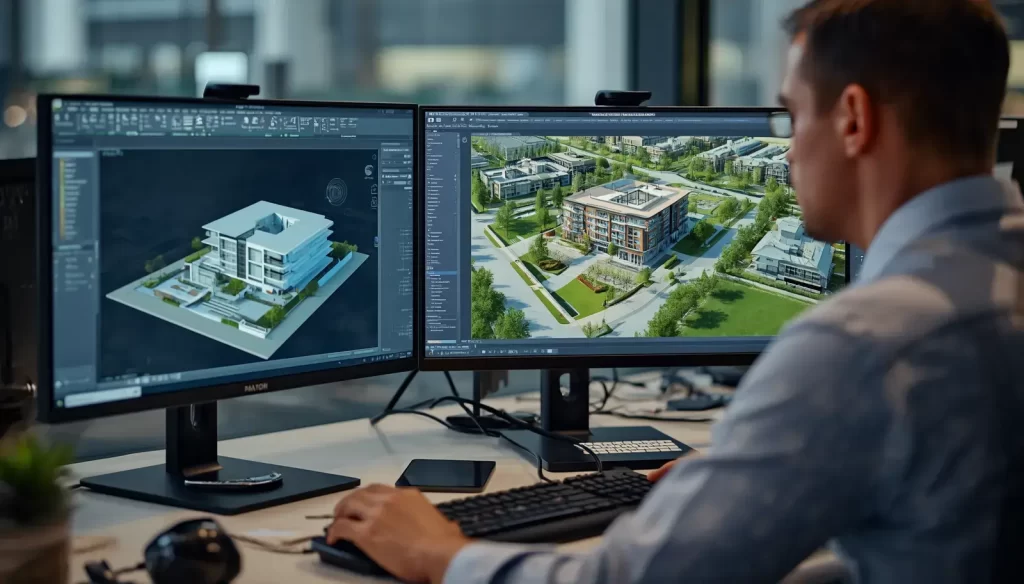
Enscape operates as a plugin inside Revit, SketchUp, Rhino, ArchiCAD, and Vectorworks. Unlike standalone renderers, it renders the model in real time as you work, which makes it the most efficient tool for design-phase site plan visualization.
Key strengths for site plan work:
- Zero export workflow – renders live from inside your authoring software
- Photorealistic path-tracing mode for final output quality
- Consistent across Revit, SketchUp, and Rhino without pipeline changes
- Solid library of vegetation and site assets via the Enscape Asset Library
- Strong aerial and perspective view support for site overview renders
Technical considerations:
- Less extensive landscape asset library than Lumion for highly detailed site plans
- Final render quality ceiling is lower than V-Ray for print-grade materials
- Subscription-based pricing
Ideal project types: Fast site plan proofs for client review, early design-phase visualization, projects where the architect handles their own visualization rather than engaging a specialist studio.
5. D5 Render
Best for: High-quality real-time ray tracing with a cost-effective pricing model and strong import compatibility.
D5 Render has emerged as one of the most compelling newer entrants in the architectural visualization market. Its GPU-accelerated real-time ray tracing engine produces results that compete directly with V-Ray in many use cases, at real-time speeds, and at a fraction of the cost.
Key strengths for site plan work:
- Real-time ray tracing via dedicated GPU pipeline with NVIDIA RTX support
- Supports DWG, RVT, SKP, FBX, and OBJ imports
- Growing asset library with diverse vegetation species
- Competitive pricing including a capable free tier
- Strong performance for large exterior scene rendering
Technical considerations:
- Requires NVIDIA RTX hardware for full ray tracing performance
- Asset library is less mature than Lumion’s for highly specialized vegetation
- Smaller community and documentation base than established tools
Ideal project types: Cost-conscious studios handling residential and commercial site plans, independent architects needing photorealistic output without V-Ray licensing overhead.
6. Blender with Cycles or EEVEE
Best for: Budget-conscious studios with technical expertise, custom procedural workflows, and GIS data integration via add-ons.
Blender is a fully open-source, professional-grade 3D creation suite. Its Cycles renderer is a physically accurate path-traced engine capable of producing results that rival V-Ray. For studios with the technical skill to leverage its Python scripting environment, Blender offers powerful GIS integration via add-ons like BlenderGIS.
Key strengths for site plan work:
- Completely free with no licensing overhead
- BlenderGIS add-on imports OSM data, GIS elevation models, and satellite imagery directly
- Cycles produces physically accurate light simulation
- EEVEE real-time renderer allows rapid previews
- Unlimited extensibility via Python scripting
Technical considerations:
- Steep learning curve for production-quality site plan work
- No dedicated architectural asset library; requires third-party resources
- Slower scene assembly compared to purpose-built architecture tools
- No native live BIM synchronization
Ideal project types: Research and academic visualization projects, studios with technical 3D generalists, custom GIS-integrated masterplan visualizations requiring scripted automation.
Master Comparison Table: Best Software for 3D Site Plan Rendering
| Software | Rendering Method | Accuracy | Site Scale | BIM Integration | Asset Library | Best For |
|---|---|---|---|---|---|---|
| 3ds Max + V-Ray | Offline path tracing | Highest | Large | Via FBX/DWG | Third-party | Max quality output |
| Lumion | Real-time + Offline | High | Very Large | Revit plugin | Largest (6,500+) | Fast, lush site plans |
| Twinmotion | Real-time (Unreal) | High | Massive | Native (Revit, ArchiCAD) | Large | BIM-linked masterplans |
| Enscape | Real-time plugin | Good-High | Medium-Large | Native plugin | Moderate | In-app design iteration |
| D5 Render | Real-time ray tracing | High | Large | DWG/RVT/SKP | Growing | Budget-friendly quality |
| Blender + Cycles | Offline path tracing | High | Medium-Large | Via import | Third-party | Custom GIS workflows |
The Professional Studio Pipeline: How These Tools Work Together
Most professional rendering studios do not rely on a single piece of software for every stage of a site plan project. Instead, they build multi-application pipelines that leverage each tool’s strengths.
A typical high-end studio pipeline for a complex site plan rendering looks like this:
Stage 1: Data Preparation
Civil 3D or AutoCAD handles the base geometry. The site plan is cleaned, layered correctly, and exported as a DWG with accurate real-world coordinates.
Stage 2: BIM Model Reference
Revit or ArchiCAD provides the building massing and architectural geometry. This is exported via DataSmith or FBX into the rendering environment.
Stage 3: 3D Scene Assembly
Either 3ds Max or D5 Render receives the geometry. Terrain is built from topographic data. Buildings are positioned accurately on site.
Stage 4: Material and Asset Application
V-Ray materials are applied using the client’s finish schedule. Vegetation is populated using Forest Pack (in 3ds Max) or the Lumion/D5 asset library.
Stage 5: Lighting and Camera Setup
Physically based sun and sky systems establish the time of day. Camera positions are set per the client’s brief.
Stage 6: Rendering and Post-Production
Final renders are produced in raw form, then refined in Adobe Photoshop or After Effects for color grading, depth-of-field enhancement, and final output preparation.
Understanding this pipeline helps explain why software selection is never a single binary choice – it is a system-level decision.
Accuracy Deep Dive: What “Accurate” Actually Means in Site Plan Rendering
When clients ask which tool produces the “most accurate” site plan rendering, they often mean different things. Accuracy in this context covers three distinct dimensions:
Geometric Accuracy
Geometric accuracy refers to how faithfully the 3D model replicates the actual dimensions of the proposed site. This depends almost entirely on the quality of the input CAD files and the import pipeline rather than on the rendering engine itself. Any of the tools listed above can produce geometrically accurate models when supplied with correct DWG input data.
3ds Max and Blender offer the most precise control over imported geometry via scripted clean-up tools. Lumion and Twinmotion import geometry more quickly but may simplify complex curves or surfaces during the process.
Material and Surface Accuracy
Material accuracy refers to whether the rendered appearance of surfaces matches what the finished building will actually look like. This is where V-Ray consistently leads. Its physically based material system simulates real-world surface behavior – including subsurface scattering, micro-surface roughness, and spectral reflectance – in ways that simpler real-time renderers cannot fully replicate.
For site plans specifically, material accuracy primarily affects:
- Roofing systems (metal, tile, membrane)
- Facade materials (glass, stone, brick, cladding panels)
- Hardscape surfaces (concrete, pavers, asphalt)
- Water features (pond surfaces, fountains, swimming pools)
Atmospheric and Lighting Accuracy
Atmospheric accuracy refers to whether the lighting, sky, and shadows in the rendering represent conditions plausibly similar to the real project location and season. All modern rendering engines support physically based sky models and sun position calculated by geographic coordinates. Lumion’s weather and atmospheric tools are particularly strong for creating convincing environmental context quickly.
Common Mistakes When Selecting Rendering Software for Site Plans
Even experienced studios make tool-selection errors that result in suboptimal output. These are the most frequent ones:
Using an Interior-Focused Pipeline for Exterior Aerial Work
V-Ray setups optimized for interior architectural visualization often need significant reconfiguration for aerial exterior work. Sun angles, sky exposure, and material behavior all behave differently at site plan scale. Studios that use the same settings for both often produce flat-looking aerial renders.
Underestimating Scene Complexity for Large Master Plans
Real-time renderers like Enscape and D5 Render handle medium-scale site plans efficiently. However, very large master plan scenes – covering hundreds of acres with thousands of individual tree instances – can push these tools beyond their comfortable performance boundaries. 3ds Max with Forest Pack handles this scale more reliably.
Ignoring Software and Hardware Compatibility
V-Ray and Lumion both have significant GPU hardware requirements. Studios that do not plan hardware investment alongside software selection often encounter performance bottlenecks that slow production timelines.
Choosing Software Based on Personal Preference Rather Than Project Requirements
A studio that specializes in Lumion may default to it for every project, even when V-Ray would better serve a client’s high-resolution print requirement. For an in-depth look at what these deliverables actually communicate, the detailed overview at what a 3D site plan rendering is explains the full context of how these visuals are used across development workflows.
Expert Tips: Getting the Most from Any Rendering Platform
These insights apply regardless of which software your studio uses:
Tip 1: Prioritize Input Quality Over Software Selection
The most common cause of poor rendering accuracy is not the wrong software – it is poor input geometry. A clean, layered DWG in a capable but inexpensive tool produces better results than messy, unorganized CAD data in V-Ray.
Tip 2: Match Resolution Requirements to Software Selection
If you need a 6,000 x 4,000 pixel print-ready image at 300 DPI, plan your software selection accordingly. Not all real-time renderers produce reliable output at that resolution without visible quality trade-offs.
Tip 3: Use Physically Based Materials Consistently
Mixing physically based materials with non-PBR legacy materials within the same scene creates inconsistent lighting behavior. Commit fully to one material system throughout the project.
Tip 4: Calibrate Sun Position to the Actual Site Location
All major platforms support geographic-coordinate-based sun positioning. Always enter the project’s actual latitude, longitude, and desired time/date. This produces shadow directions and atmospheric color that accurately represent the real site context – which matters for planning submissions.
Tip 5: Test Output at Final Resolution Early
Render a small test crop at final resolution before completing the scene. This catches texture tiling issues, material artifacts, and vegetation clipping problems before they appear in the final deliverable – saving significant rework time.
According to Chaos Group’s documentation for V-Ray, a physically based rendering pipeline with correctly configured sun-sky models, PBR materials, and accurate geometry produces results that reliably represent real-world site conditions – the standard that professional studios build their workflows around.
How Studio-Grade Rendering Differs from Self-Produced Visualization
Many developers and architects experiment with running rendering software in-house. The gap between studio-produced and in-house visualization results is almost always attributable to four factors:
- Scene assembly expertise: Professional artists know how to position vegetation, populate context, and balance scene density in ways that read naturally at aerial scale
- Lighting calibration: Getting physically accurate lighting right for exterior aerial work requires experimentation and experience that takes years to develop
- Post-production skill: The Adobe Photoshop stage – color grading, atmosphere enhancement, depth-of-field layering – can represent 20-30% of the final image quality
- Hardware investment: Production-grade rendering requires dedicated workstation hardware with professional GPU cards that most architectural offices do not maintain
These factors explain why the best software for 3D site plan rendering in a professional studio context always delivers results that self-produced visualization cannot replicate, regardless of which specific platform the studio uses.
For teams evaluating whether to produce site plan visualizations internally or engage specialists, Autodesk’s architectural visualization resources provide a useful benchmark for understanding the full workflow complexity involved in production-quality site rendering.
Comparison Table: Real-Time vs. Offline Rendering for Site Plans
| Factor | Real-Time Renderers (Lumion, Twinmotion, Enscape, D5) | Offline Path Tracers (V-Ray, Corona, Cycles) |
|---|---|---|
| Render Speed | Very fast (seconds to minutes) | Slow to very slow (minutes to hours) |
| Material Accuracy | Good to High | Highest |
| Ideal Scale | Medium to Large sites | Any, including very large at batch render |
| Hardware Requirement | High-end GPU | High-end GPU + CPU |
| Design Iteration Support | Excellent (real-time feedback) | Poor (long iteration cycles) |
| Output Resolution | Good (up to 8K with upscaling) | Unlimited |
| Learning Curve | Low to Moderate | High |
| Best Phase | Design development | Final delivery and marketing |
FAQ: Best Software for 3D Site Plan Rendering
Q: What is the best software for 3D site plan rendering overall?
For professional, studio-quality output, 3ds Max combined with V-Ray is widely considered the most accurate and flexible pipeline for 3D site plan rendering. However, for speed, large-scale aerial views, and quick client presentations, Lumion and Twinmotion consistently deliver excellent results with significantly less production time.
Q: Which rendering software is best for architects who need fast site plan visualizations during design?
Enscape is the leading choice for rapid design-phase site plan visualization because it renders in real time inside Revit, SketchUp, and ArchiCAD without requiring a separate export workflow. D5 Render offers comparable speed with higher final output quality for presentation-ready deliverables.
Q: Is Lumion accurate enough for planning submission renderings?
Yes. Lumion produces site plan renderings at sufficient accuracy and resolution for the majority of planning authority submissions, particularly when supplied with accurate CAD geometry and detailed material references. For very high-resolution print deliverables exceeding 5,000 pixels, V-Ray or 3ds Max provides more reliable output without quality degradation.
Q: Can Blender produce professional-quality site plan renderings?
Blender with Cycles can produce photorealistic site plan renderings that match V-Ray quality. However, it requires significant expertise, lacks a dedicated architectural asset library, and has no native BIM integration. It is a viable choice for technically skilled studios but not typically the most efficient option for client-facing commercial visualization.
Q: What is the difference between real-time and offline rendering for site plans?
Real-time rendering (Lumion, Twinmotion, Enscape, D5 Render) produces images instantly or within minutes by approximating lighting using GPU-accelerated techniques. Offline path tracing (V-Ray, Corona, Cycles) simulates physically accurate light behavior by tracing individual photon paths, producing higher accuracy but requiring significantly longer computation time. For site plan renderings, real-time tools are ideal for design iterations, while offline renderers are used for final high-resolution delivery.
Q: How does software choice affect the cost of a 3D site plan rendering project?
Software selection directly affects production time, which drives cost. Real-time tools allow faster scene assembly and iteration, reducing billable hours for straightforward projects. V-Ray produces higher quality but requires more setup time, which typically reflects in a higher production cost. Studios using licensed software also pass licensing overhead into their rates, so comparing studio quotes requires understanding the underlying tool choice.
Q: Which software handles very large master plan visualizations best?
For very large master plans covering hundreds of acres, 3ds Max with Forest Pack and V-Ray handles the highest polygon counts and vegetation density most reliably. Twinmotion’s Nanite technology (2025.2+) also handles massive scene extents with strong performance. Lumion with its OpenStreetMap integration and large asset library is often the fastest to set up for large-scale context work.
Q: Does the best software for 3D site plan rendering change based on intended output use?
Yes, significantly. For social media and digital marketing, Lumion and Twinmotion produce compelling output quickly. For printed brochures, planning submissions, and investor decks requiring 300 DPI at large format, V-Ray in 3ds Max provides the most reliable high-resolution output. For interactive walkthroughs or VR presentations, Twinmotion and Unreal Engine are the industry standard.
Match the Tool to the Outcome, Not the Other Way Around
The question of which is the best software for 3D site plan rendering does not have a single, universal answer – and any source that claims otherwise is oversimplifying a genuinely complex decision.
What the data consistently shows is this:
- V-Ray + 3ds Max leads for maximum material accuracy and print-grade resolution
- Lumion leads for speed, landscape richness, and atmospheric site visualization
- Twinmotion leads for BIM-integrated masterplans and animated deliverables
- Enscape leads for live, in-application design-phase rendering
- D5 Render leads for budget-conscious studios that still need real-time ray tracing
- Blender leads for technical users requiring GIS integration and zero licensing cost
The real advantage does not come from any single piece of software. It comes from an experienced studio that knows which tool to deploy for each deliverable type – and executes the full pipeline with the expertise to match.
Ready to see what a purpose-built, studio-grade rendering pipeline delivers for your development project? Commission photorealistic 3D site plan renderings with UALOS and work with a team that matches the right technology to your exact output requirements.