
3D site plan rendering for real estate marketing is the practice of converting a project’s civil engineering and landscape layout into a photorealistic, top-down or aerial visualization that pre-sales, brochures, landing pages, and sales centers can use to sell units before a single foundation is poured. Developers rely on it because raw architectural drawings do not communicate lifestyle, scale, or context to a buyer who is deciding between three competing communities. Consequently, the projects that lease and sell fastest are almost never the ones with the best land – they are the ones with the clearest visual story.

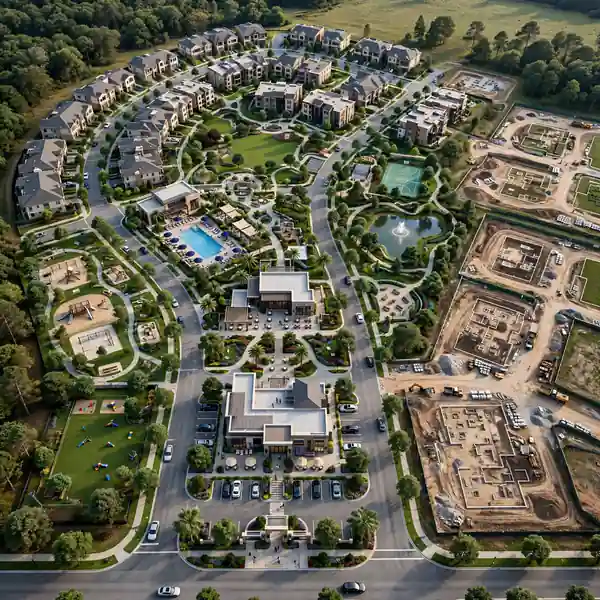
If your team is still marketing a development off a flat, black-and-white civil plan, you are asking buyers to do the imaginative work that a good 3D site plan rendering company should be doing for them. This article breaks down exactly how experienced developers, brokers, and marketing directors deploy site plan renderings across every stage of a campaign, along with the mistakes that quietly kill conversion rates and the practical steps to commission renderings that actually move inventory.
What is 3D Site Plan Rendering for Real Estate Marketing?
A 3D site plan rendering is a bird’s-eye or aerial-angle visualization that shows an entire development – roads, lots, buildings, landscaping, amenities, and surrounding context – in photorealistic detail. Unlike a floor plan or an elevation, it is built specifically to communicate the layout logic of a project: where each building sits, how traffic flows, which lots back onto green space, and how the community connects to the neighborhood around it.
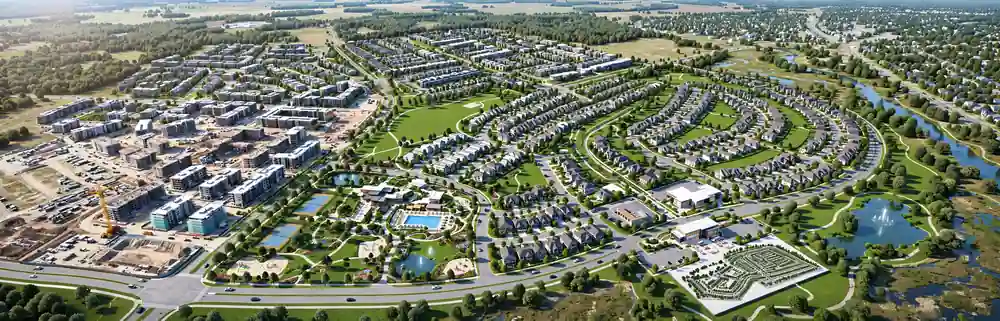
In short, it answers the one question every prospective buyer or investor asks first: “What am I actually looking at?”
Marketing teams use these renderings in three broad formats:
- Full community overviews – the entire master plan shown from a high aerial angle, often used on homepages and in investor decks.
- Cluster or phase renderings – a zoomed-in view of a specific building cluster, phase, or amenity zone, used for phased pre-sales.
- Annotated marketing plans – the same rendering overlaid with lot numbers, pricing tiers, or availability status, used on interactive sales center displays and landing pages.
Why Traditional 2D Site Plans Fail to Sell Developments
Before diving into campaign tactics, it is worth understanding the underlying problem developers are solving. A civil engineer’s site plan is accurate, but it is built for permitting and construction coordination, not for persuasion. It typically shows:
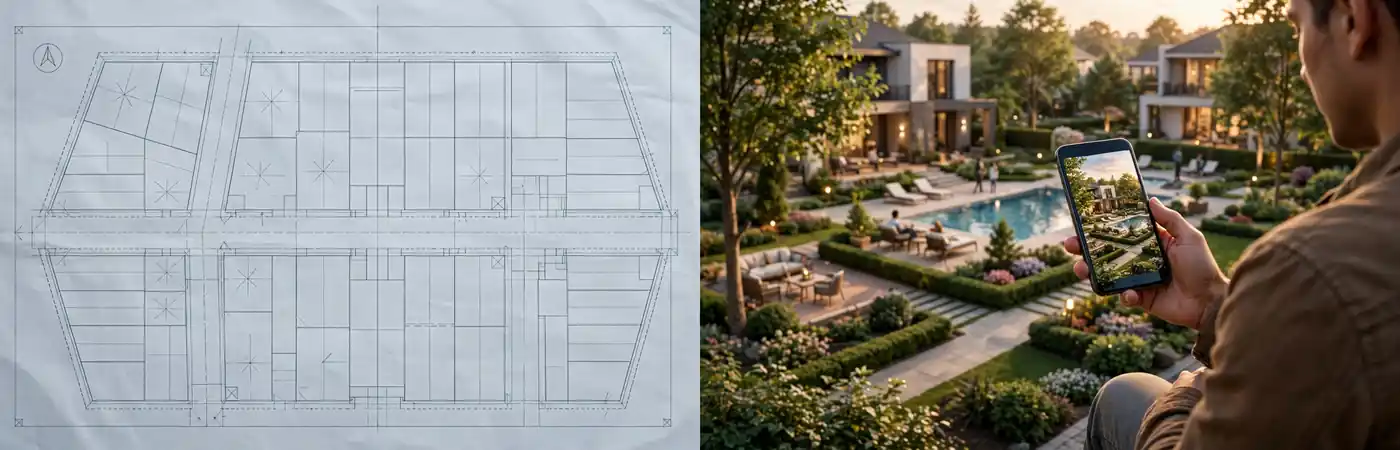
- Flat, monochrome lot boundaries with no sense of elevation or materiality
- Technical annotations that mean nothing to a non-technical buyer
- No landscaping, lighting, water features, or lifestyle context
- Zero emotional pull
A buyer scrolling through listings on their phone does not linger on a CAD export. They move on to the next development that gives them an immediate, intuitive sense of place. This is precisely the gap that a well-produced rendering closes, and it is why 3D site plan rendering has shifted from a “nice to have” deliverable to a standard line item in most pre-construction marketing budgets.
This shift also tracks with broader industry research. Buyer-behavior studies published by the National Association of Home Builders consistently find that visualization quality ranks among the top factors influencing a prospective buyer’s confidence in a pre-construction purchase, right alongside price and location. In other words, the rendering is not decoration; it is part of the product experience itself, long before the physical product exists.
How Real Estate Developers Use 3D Site Plan Renderings in Marketing Campaigns
Developers do not treat renderings as a single asset for a single purpose. Instead, they extract a family of visuals from one master model and route each version to a different stage of the buyer journey. Here is how that typically plays out in practice.
1. Pre-Sales Brochures and Digital Prospectuses
Before construction begins, the site plan rendering usually anchors the pre-sales brochure. Because early buyers cannot walk the physical site, the rendering functions as their primary proof of concept. High-performing brochures pair the aerial site plan with:
- A phasing map showing release order
- Lifestyle callouts (trails, clubhouse, retail frontage)
- A locator map tying the development into the surrounding city
2. Website Landing Pages and Project Hubs
On the developer’s website, the rendering becomes the hero visual of the project landing page, frequently paired with an interactive lot-selection overlay. Site plan renderings placed above the fold consistently increase time-on-page because visitors instinctively want to explore a map before reading copy. Many teams also embed a zoomable version so buyers can click into individual lots or building clusters.
3. Social Media and Paid Ad Campaigns
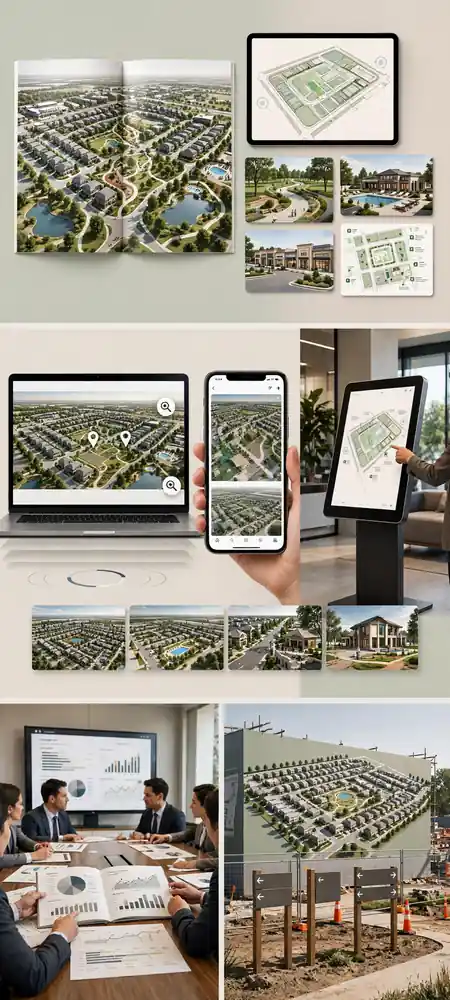
Aerial site plan renderings perform strongly as scroll-stopping content on Instagram, Facebook, and LinkedIn because they read as “real” in a way that a stylized concept sketch does not. Common formats include:
- Short pans or fly-throughs of the aerial rendering for Reels and Stories
- Carousel posts moving from full-community view to individual lot close-ups
- Retargeting ads showing “newly released” phases with updated availability
4. Sales Center Displays and Interactive Kiosks
Inside physical sales offices, an enlarged, printed, or touchscreen version of the site plan rendering is often the centerpiece of the room. Buyers physically point at the rendering and ask, “Which one is this lot?” Sales teams that use a rendering-based kiosk with live availability overlays report faster decision cycles, because the visual removes the ambiguity that stalls a conversation.
5. Investor and Lender Presentation Decks
Renderings are not only a consumer-facing tool. Developers routinely include the same base model, reformatted, in capital-raising decks and lender packages. A convincing aerial rendering signals project maturity and helps non-technical stakeholders – private equity partners, city council members, or joint venture investors – grasp the scope of the development at a glance.
6. Signage, Hoarding, and On-Site Wayfinding
Large-format printed versions of the same rendering frequently appear on construction hoarding, entrance monuments, and directional signage around the site. This keeps the visual story consistent for the passerby traffic that later becomes a warm lead.
Key Benefits of 3D Site Plan Rendering for Marketing Campaigns
The table below summarizes the core benefits developers report when they shift from flat civil plans to photorealistic site renderings.
| Benefit | Marketing Impact |
|---|---|
| Faster buyer comprehension | Reduces the need for a sales agent to “explain” the layout verbally |
| Emotional connection to place | Landscaping, lighting, and materiality create lifestyle appeal, not just geography |
| Consistent asset across channels | One master model produces brochure, web, social, and signage variants |
| Pre-sales momentum | Buyers commit to units before construction is visible on-site |
| Investor confidence | A polished visual signals project readiness to lenders and partners |
| Reduced revision cycles later | Design decisions get validated visually before construction documents lock |
3D Site Plan Rendering vs. Traditional 2D Site Plans
Developers weighing whether to commission a full rendering package versus relying on the engineer’s flat plan should consider the following comparison.
| Factor | Traditional 2D Site Plan | 3D Site Plan Rendering |
|---|---|---|
| Primary audience | Engineers, permitting bodies | Buyers, investors, brokers, the general public |
| Visual detail | Line work, technical symbols | Photorealistic materials, landscaping, lighting |
| Emotional appeal | None | High – communicates lifestyle and context |
| Marketing versatility | Limited to technical documents | Reusable across brochures, web, social, signage |
| Buyer comprehension speed | Slow, requires explanation | Immediate, self-explanatory |
| Typical production timeline | Days (already exists) | 1-3 weeks depending on scope and revisions |
| Cost | Included in civil engineering scope | Separate line item, scoped by project size |
The 2D plan remains essential for construction and approvals. The rendering is what carries that same information across the finish line to a paying customer.
Step-by-Step: Commissioning a 3D Site Plan Rendering for a Marketing Campaign

For teams doing this for the first time, the process typically follows a predictable sequence:
- Gather source files. Civil site plans, landscape drawings, elevations, and any zoning context maps the rendering team will need before a brief is even useful. Knowing exactly what to send before starting a site plan rendering project saves multiple rounds of back-and-forth later.
- Define the marketing use cases first. Decide whether the primary output is a brochure hero image, a web hero, a social fly-through, or all three – this determines resolution, aspect ratio, and camera angle from day one.
- Set a realistic budget and timeline. Pricing scales with lot count, landscaping detail, and revision rounds, so reviewing a 3D site plan rendering cost breakdown up front prevents scope surprises.
- Approve a greyscale or massing draft. Before final texturing, most studios share an untextured massing pass so the developer can confirm building placement, road alignment, and camera angle.
- Review materials and landscaping. This is where the rendering starts to reflect brand identity – facade materials, hardscape colors, tree species, and signage should match what will actually be built or landscaped.
- Request marketing-ready exports. Ask for cropped, annotated, and phase-specific versions alongside the master file so your team is not re-cropping a single hero image for every channel.
- Plan for future phases. Master-planned communities often need updated renderings as phases release, so agreeing on a revision or add-on scope early keeps future asks fast and affordable.
Common Mistakes Developers Make With Site Plan Renderings

Even experienced marketing teams run into avoidable problems. Some of the most frequent include:
- Briefing too late. Waiting until the pre-sales launch date is fixed leaves no room for revisions if the first draft misses the mark.
- Skipping context. A rendering that shows only the development, with no surrounding streets or neighboring landmarks, makes it harder for buyers to place the project mentally.
- Ignoring lighting and time-of-day. A flat midday render reads as generic; golden-hour lighting consistently performs better in marketing tests.
- Treating it as a one-time asset. Reusing a single rendering across every channel without cropping or reformatting for platform-specific dimensions weakens its impact.
- Under-scoping revisions. Assuming one round of feedback will be enough almost always leads to rushed, unsatisfying final art.
A closer look at these pitfalls and how to avoid them is available in this breakdown of the most common mistakes clients make when briefing a 3D site plan rendering project.
- Approving without a fresh set of eyes. Teams close to a project for months can miss layout inconsistencies that a first-time viewer, such as an actual buyer, will notice immediately. A quick review by someone outside the immediate project team before publishing catches these gaps early.
- Forgetting mobile crops entirely. A rendering composed for a wide desktop hero image often loses critical detail when squeezed into a vertical mobile ad or story format, so it is worth requesting a portrait-oriented crop alongside the primary landscape version from the start.
Expert Tips for Maximizing ROI From Site Plan Renderings

- Commission the aerial hero shot first, then work backward. Everything else – brochure crops, social clips, signage – can be pulled from a single, well-composed master rendering.
- Match the rendering’s lighting mood to your brand. A luxury coastal community and a starter-home suburb should not look visually identical, even if the layout logic is similar.
- Bake in phase flexibility. If the community will release in stages, ask the studio to build the model so future phases can be added without re-rendering the entire scene from scratch.
- Pair the rendering with a short fly-through video. Static images convert well on web and print, but a 15-30 second aerial pan consistently outperforms static posts on social platforms.
- Keep sales center displays synced with live availability. A rendering showing a lot as “available” when it already sold undermines buyer trust at the exact moment it matters most.
Real-World Applications by Project Type
Different developer segments lean on site plan renderings in slightly different ways.
Master-Planned Communities
Large communities use the full aerial rendering as the centerpiece of the entire campaign, often commissioning phase-specific zoom-ins as each section releases to keep the marketing feeling current over a multi-year sales cycle.
Commercial and Mixed-Use Developments
Commercial teams lean more heavily on renderings inside investor and leasing decks than on consumer social media, since the primary audience is institutional. The way commercial real estate developers use 3D site plan renderings tends to emphasize tenant mix, parking logic, and pedestrian flow over lifestyle imagery.
Urban Infill and Municipal Projects
City planners and infill developers often need renderings that read clearly to non-technical stakeholders at public hearings, which places extra weight on accurate context modeling of surrounding streets, transit lines, and existing buildings. Industry planning research from the Urban Land Institute has repeatedly highlighted that clear, accessible visualization materially shortens the public approval process for infill and mixed-use projects, since board members and residents can evaluate a proposal on sight rather than relying on a planner’s verbal description of a technical drawing.
Custom and Semi-Custom Home Communities
Builders working lot-by-lot rather than at full community scale still benefit from a site plan rendering, since it lets a buyer see exactly how a proposed home sits relative to setbacks, tree lines, and neighboring properties before committing to a design package. This is often the deciding visual in a buyer’s choice between two comparably priced lots in the same subdivision.

Measuring ROI From a Site Plan Rendering Campaign

Developers who invest in a full rendering package understandably want to know whether it moves the needle, not just whether it looks good. In practice, marketing and sales teams track a handful of metrics before and after introducing photorealistic site plan renderings into a campaign:
- Time-to-reservation – how quickly a released phase moves from listed to under-contract once buyers can view the rendering-based landing page.
- Sales center conversion rate – the percentage of walk-in or scheduled appointments that result in a reservation or deposit, compared against periods using only flat plans.
- Cost per qualified lead – whether paid social and search campaigns using rendering-based creative pull in lower-cost, higher-intent traffic than campaigns using stock imagery or generic renderings.
- Time-on-page for the project landing page – a simple but reliable proxy for whether visitors are actually engaging with the layout rather than bouncing.
- Sales agent talk-time per lead – shorter, more focused conversations often indicate the rendering is already answering the layout questions an agent would otherwise need to explain manually.
- Broker referral rate – brokers who can confidently walk a client through a rendering-based layout, without waiting on the developer’s team to answer basic orientation questions, tend to refer more buyers back to that project over time.
None of these metrics require sophisticated tooling. Most developers already track reservation velocity and cost per lead in their CRM and ad platforms; the shift is simply comparing those numbers across a campaign period that used photorealistic site plan renderings against one that did not, phase over phase.
Choosing the Right Rendering Partner for Your Campaign
Not every studio scopes projects the same way, and the difference shows up fastest in revision policy, turnaround time, and how clearly they ask for source material up front. A partner that requests a thorough brief before quoting – rather than pricing blind – is generally a stronger long-term fit, since it signals they understand how the asset will actually be used across a campaign rather than treating it as a one-off image.

A few questions worth asking any studio before signing off on a scope of work:
- How many revision rounds are included, and what happens if the community’s phasing changes mid-project?
- Can the studio deliver both a single master file and pre-cropped, channel-specific exports (web hero, social carousel, print signage)?
- What is the realistic turnaround for updates once the first phase sells out and a second phase needs its own rendering?
- Does the studio have prior experience with your specific project type – master-planned community, commercial mixed-use, or custom home lot?
Getting clear answers to these questions before the brief is finalized avoids the single most common source of frustration in rendering projects: discovering mid-campaign that the scope everyone assumed was included was never actually quoted.
Frequently Asked Questions
What is 3D site plan rendering for real estate marketing?
It is a photorealistic aerial or bird’s-eye visualization of a development’s layout, used across brochures, websites, social media, and sales centers to help buyers understand a project before construction is visible on-site.
How much does a 3D site plan rendering cost?
Pricing depends on lot count, landscaping complexity, and the number of revision rounds included in the project scope.
How long does it take to produce a 3D site plan rendering?
Most projects take one to three weeks from final source files to delivery, depending on scene complexity and how many revision cycles are scoped into the project.
Can one rendering be used across all marketing channels?
Yes – a single master model is typically exported into multiple crops, resolutions, and annotated versions for brochures, web pages, social posts, and signage, which is far more cost-efficient than commissioning separate assets per channel.
Do site plan renderings need to be updated as a project is built in phases?
For most master-planned communities, yes. Teams commonly commission updated or zoomed-in renderings as each phase releases to keep marketing assets aligned with current availability.
Is a 3D site plan rendering the same as an architectural elevation?
No. An elevation shows a single building’s facade from ground level, while a site plan rendering shows the full development layout from above, including roads, lots, landscaping, and how individual buildings relate to one another.
What files should I send a rendering studio to get an accurate quote?
Civil site plans, landscape drawings, elevations, and any relevant zoning or context maps.
Where Site Plan Rendering is Headed Next

Two shifts are already changing how developers commission and deploy these visuals. First, interactivity is becoming standard rather than optional – static aerial images are increasingly paired with clickable, zoomable web versions that let a buyer explore lot-by-lot availability without a sales agent walking them through it manually. Second, turnaround expectations have compressed. Where a full community rendering once took a month, many studios now deliver a usable massing draft within days, letting marketing teams validate a campaign concept before committing to full texturing and landscaping detail.
Neither shift changes the underlying logic of why the asset works: buyers, lenders, and city officials all make faster, more confident decisions when they can see a project rather than read about it. The developers who treat that visual clarity as a campaign asset – not a single deliverable – are the ones consistently pulling ahead in crowded, competitive markets.
Conclusion
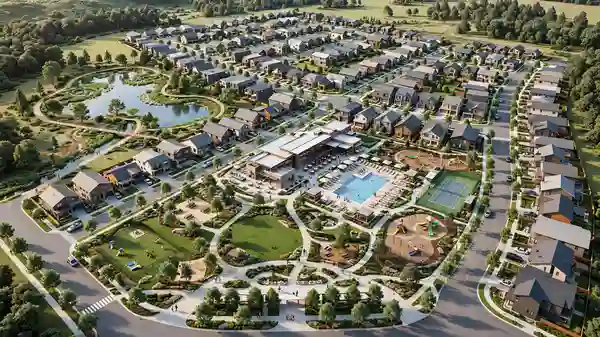
A development’s land, layout, and amenities may be its real value, but a buyer’s decision is shaped almost entirely by what they can see. Developers who treat 3D site plan rendering for real estate marketing as a campaign foundation – rather than a single static image – consistently move units faster, raise capital more smoothly, and keep sales teams working from one consistent visual story across every channel. If your next launch still hinges on a flat civil drawing, now is the time to change that. Request a 3D site plan rendering quote from Ualos and turn your next site plan into your strongest sales asset.