
A green building site plan rendering is a georeferenced, orthographic 3D visualization that maps sustainable site systems – solar orientation, stormwater infiltration, permeable surfaces, tree canopy, and low-carbon circulation – onto a single scaled plan view. It translates dense LEED, SITES, and municipal environmental data into spatial evidence that planners, investors, and community boards can verify at a glance. Consequently, the rendering functions as both a compliance communication tool and a persuasive narrative layer for sustainability goals that are otherwise buried in technical reports.
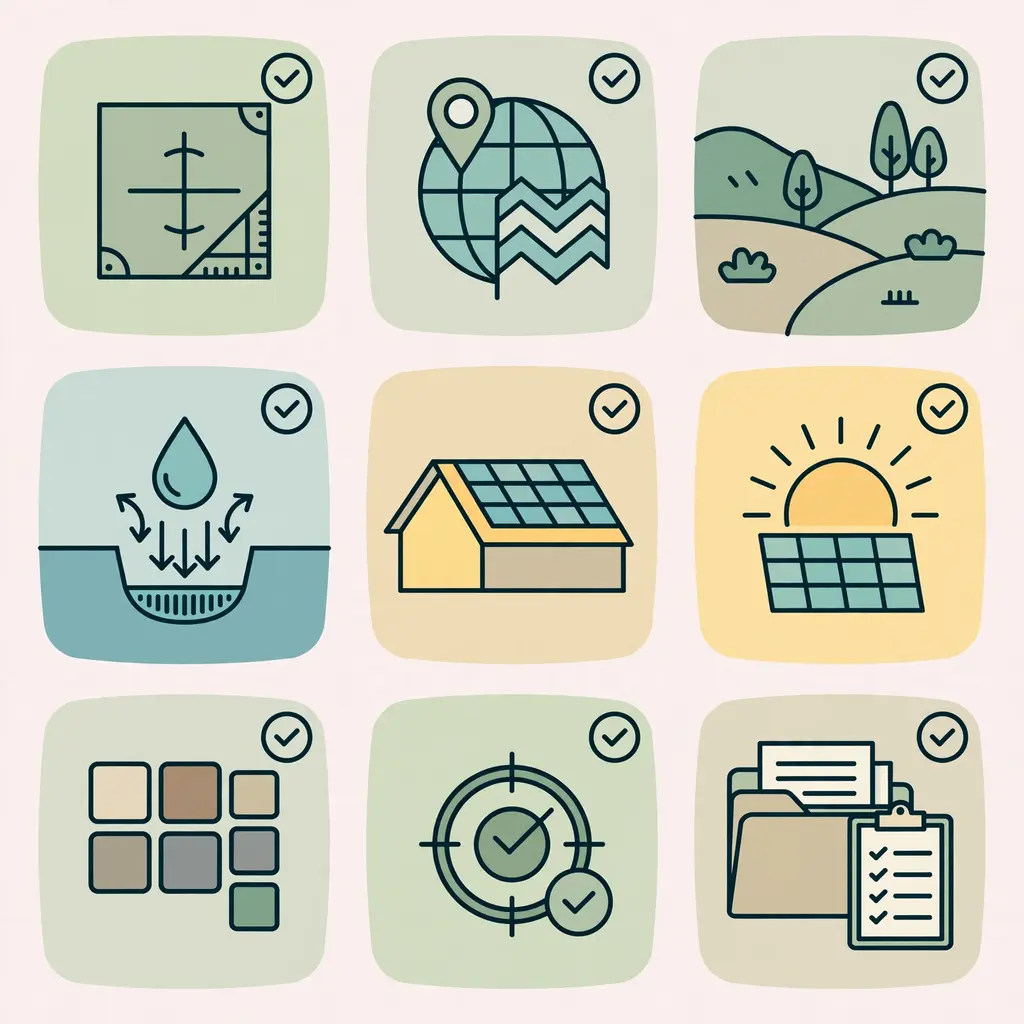
Developers and architects who need technically precise visuals can rely on a dedicated orthographic 3D site plan rendering workflow that converts CAD, GIS, and landscape data into clear, scaled imagery. That approach keeps every green feature measurable, labeled, and visible to the people who approve and fund the project.
Why Sustainability Is Hard to Show on a Site Plan
Green strategies rarely look dramatic on paper. A bioswale is a shallow green stripe. A cool roof is a slightly lighter gray rectangle. A solar-ready roof zone is an empty area with a dotted outline.
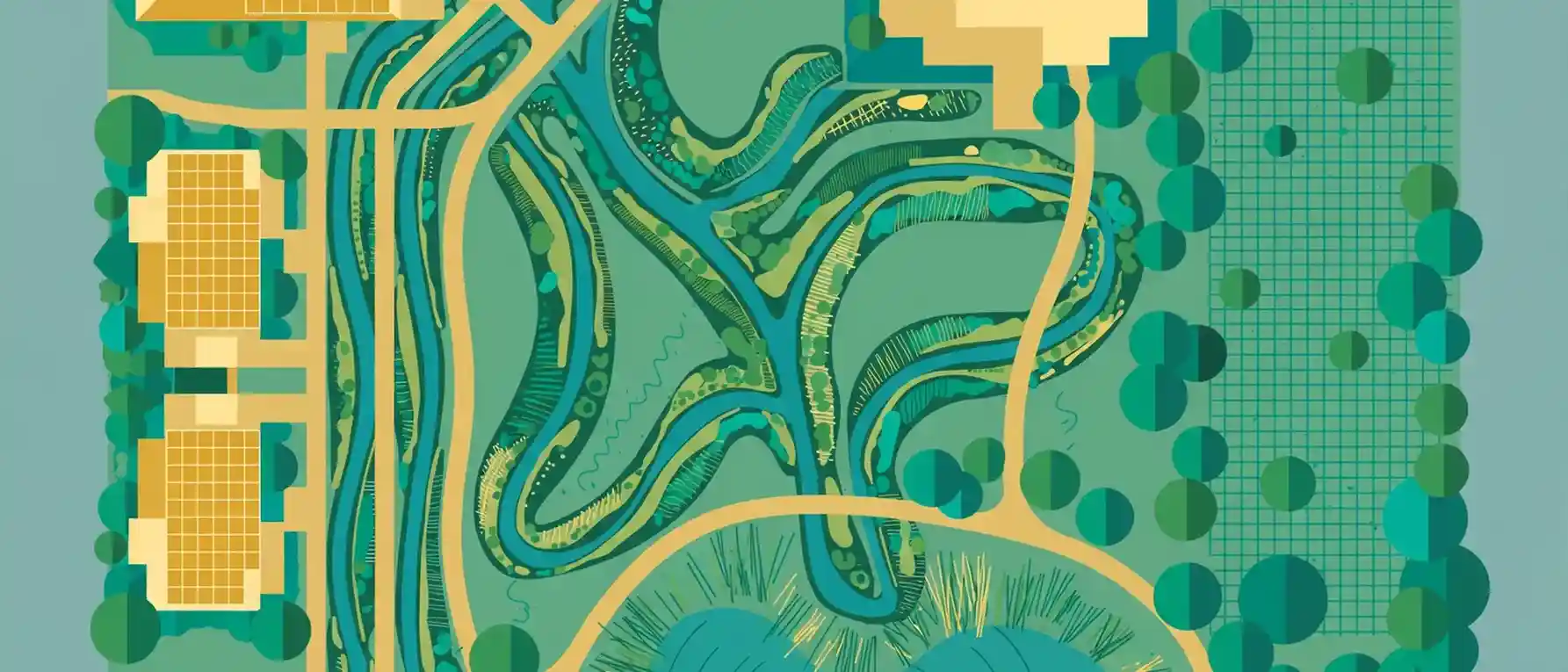
As a result, sustainability features often disappear inside flat CAD drawings and long narrative reports. Reviewers skim past them. Investors cannot picture them. Neighbors never hear about them.
Common communication gaps include:
- Invisible systems: Underground cisterns, infiltration trenches, and geothermal fields have no visual presence.
- Technical jargon: Terms like “pervious surface ratio” or “heat island index” mean little to non-specialists.
- Scattered documentation: Energy models, stormwater calculations, and landscape plans sit in separate files.
- Flat symbology: Standard plan symbols rarely convey scale, volume, or shade.
A well-built 3D site plan solves these problems. It places every sustainable system in its real spatial context, so viewers understand how the pieces work together.
The Cost of Under-Communicated Sustainability
Under-communication carries a real price. Teams invest in premium green features, then fail to get credit for them during review, financing, or marketing. In contrast, a clear visual lets stakeholders see the value that was designed in.
What Is a Green Building Site Plan Rendering?
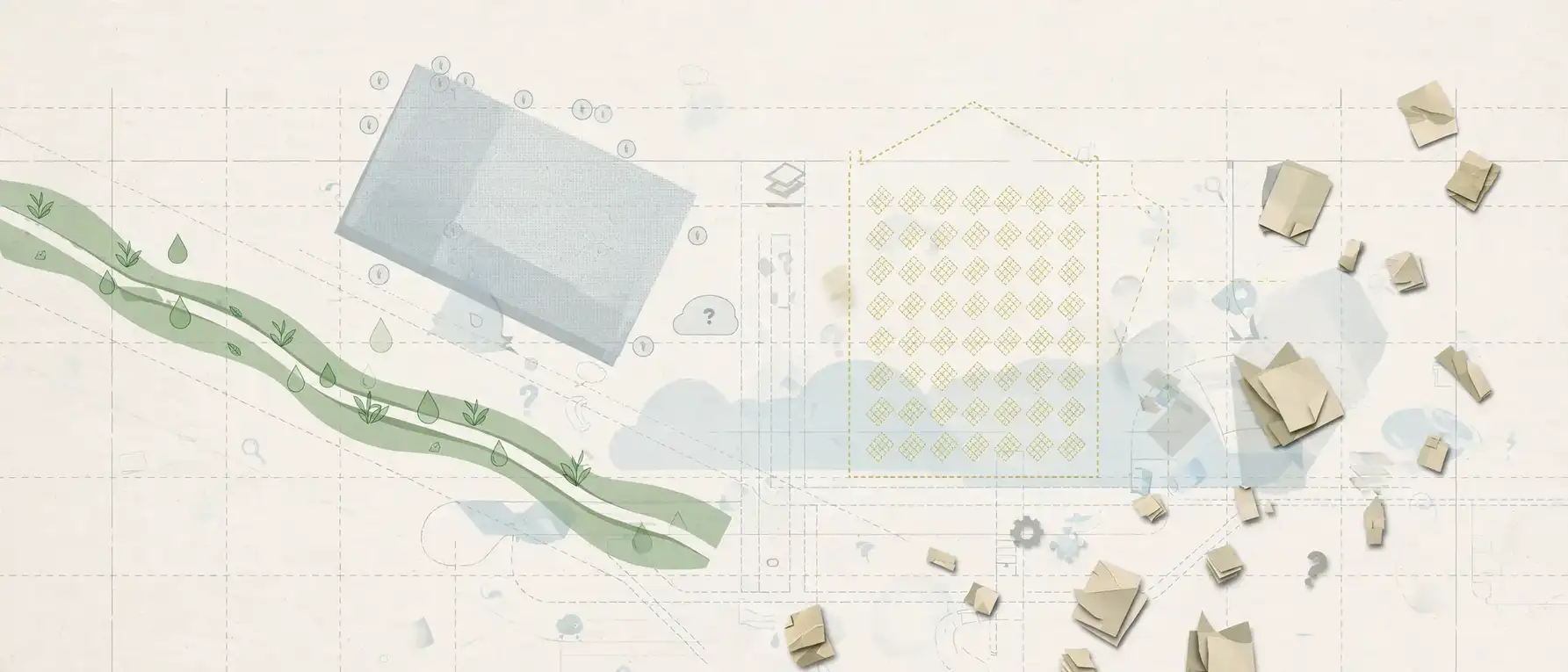
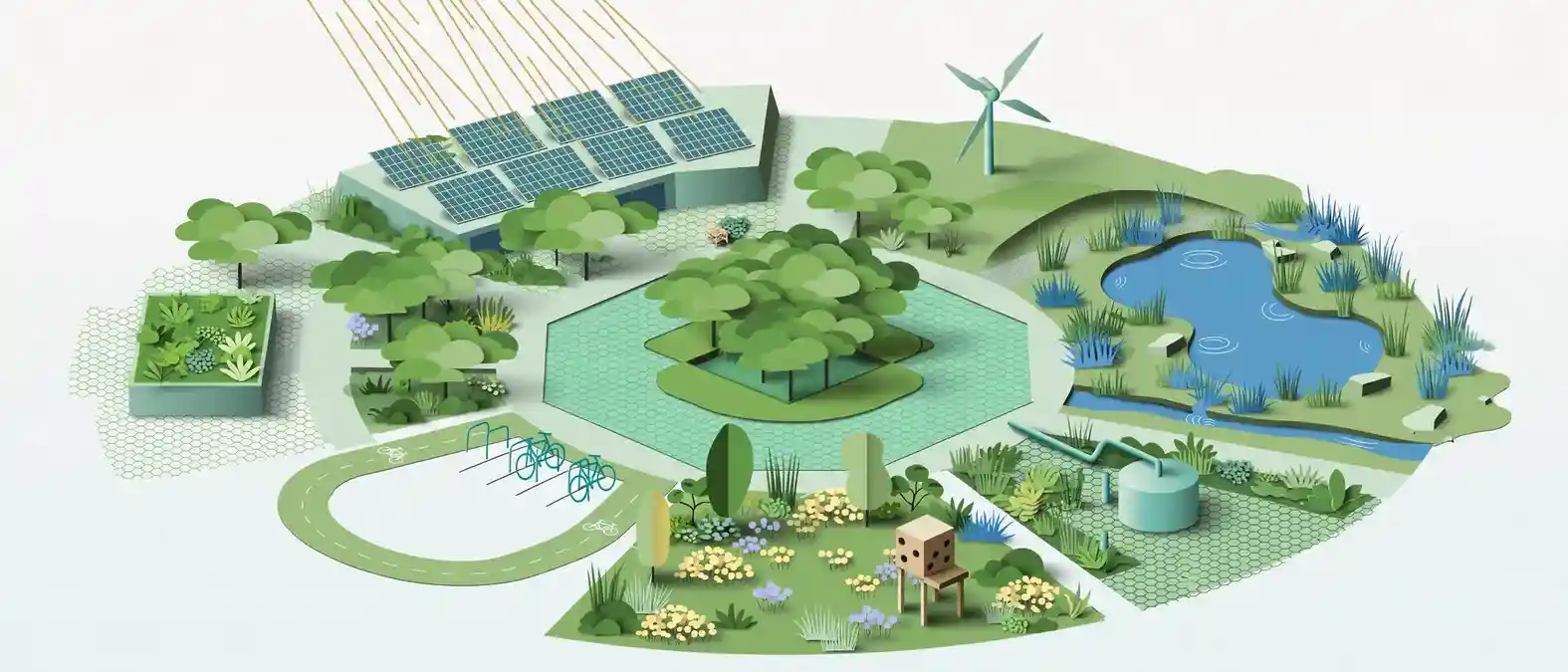
Definition: A green building site plan rendering is a top-down or elevated-angle 3D image of a development site that highlights environmental design features, such as renewable energy, water management, native landscaping, and active transportation, in accurate scale and context.
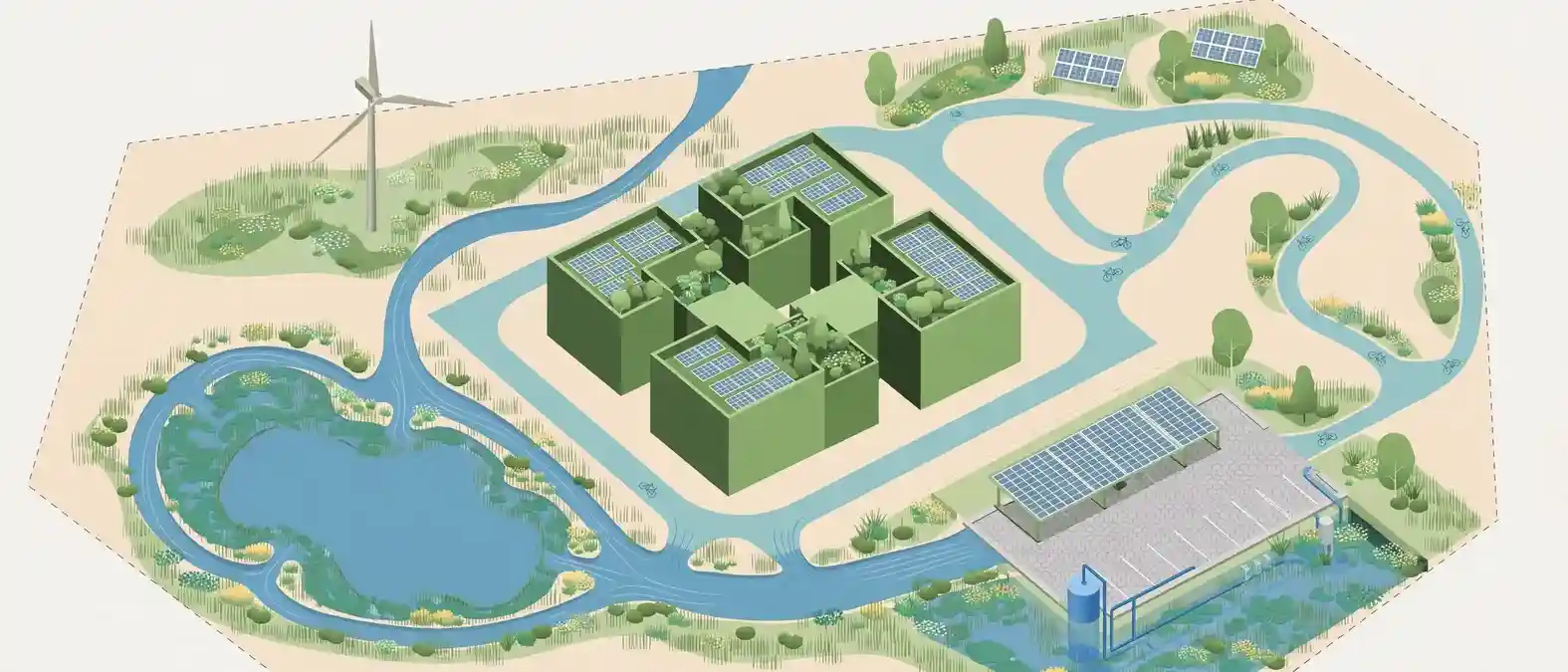
It builds on the same foundation as a standard 3D site plan. If you want a refresher on the basics, the guide on what a 3D site plan rendering actually includes covers the core components.
The green version adds an environmental layer on top of that foundation. Specifically, it typically shows:
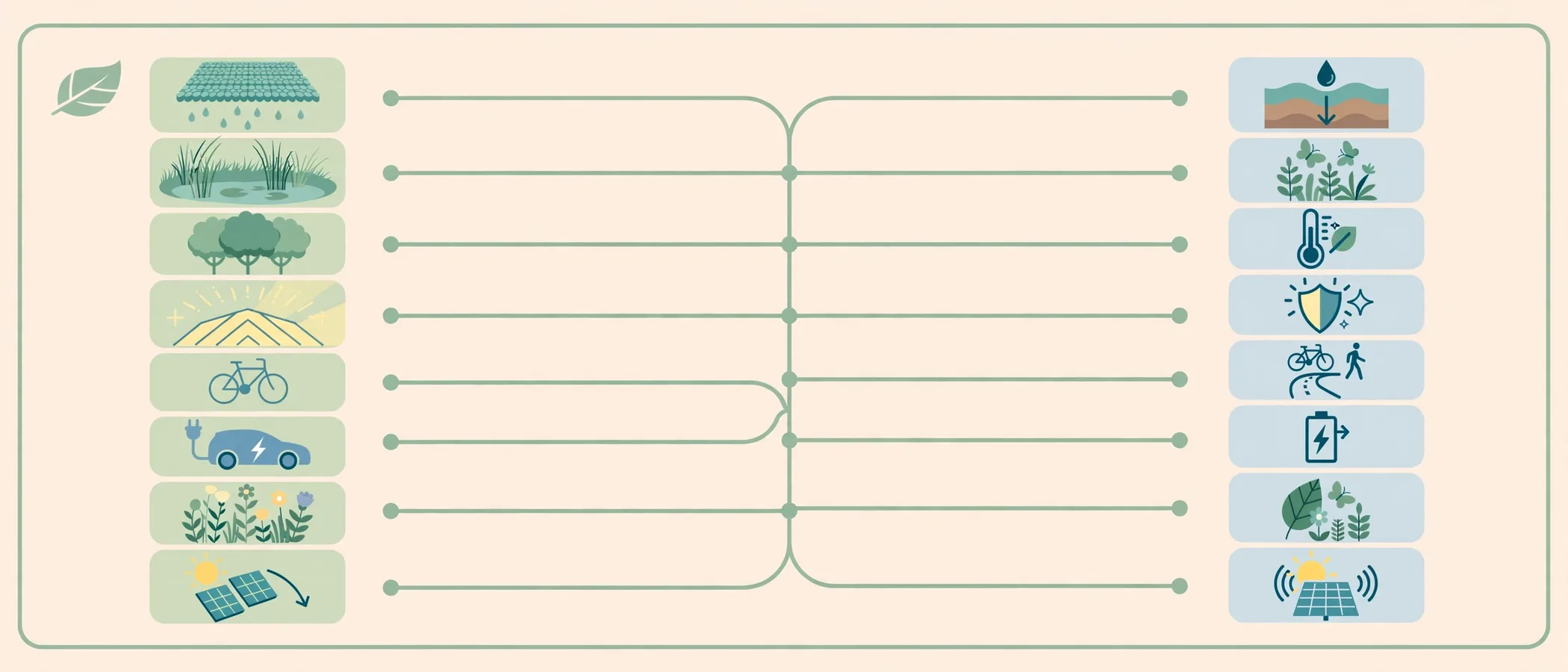
- Building footprints with solar-ready roof zones
- Stormwater features and flow direction
- Planting zones, canopy coverage, and habitat areas
- Pedestrian, cycling, and transit connections
- Shade patterns and sun path references
- Labeled callouts tied to certification credits or local code targets
Green Rendering vs. Standard Site Plan Rendering
The table below shows how the two approaches differ in purpose and content.
| Element | Standard 3D Site Plan | Green Building Site Plan Rendering |
|---|---|---|
| Primary goal | Show layout and massing | Prove and explain sustainability strategy |
| Roof treatment | Generic roof color | Solar arrays, green roofs, or cool roof coatings highlighted |
| Landscape | Decorative planting | Species zones, canopy cover, and habitat value labeled |
| Water | Often omitted | Swales, rain gardens, cisterns, and flow arrows shown |
| Paving | Single hardscape color | Permeable vs. impervious surfaces distinguished |
| Annotations | Minimal | Credit-linked callouts and performance notes |
| Audience impact | Spatial understanding | Spatial understanding plus environmental confidence |
Core Green Features a 3D Site Plan Can Communicate
A strong green building site plan rendering organizes sustainability into clear, scannable categories. Each category answers a question that reviewers and buyers commonly ask.
1. Solar Access and Renewable Energy
Solar strategy is one of the easiest features to visualize. A 3D model can show:
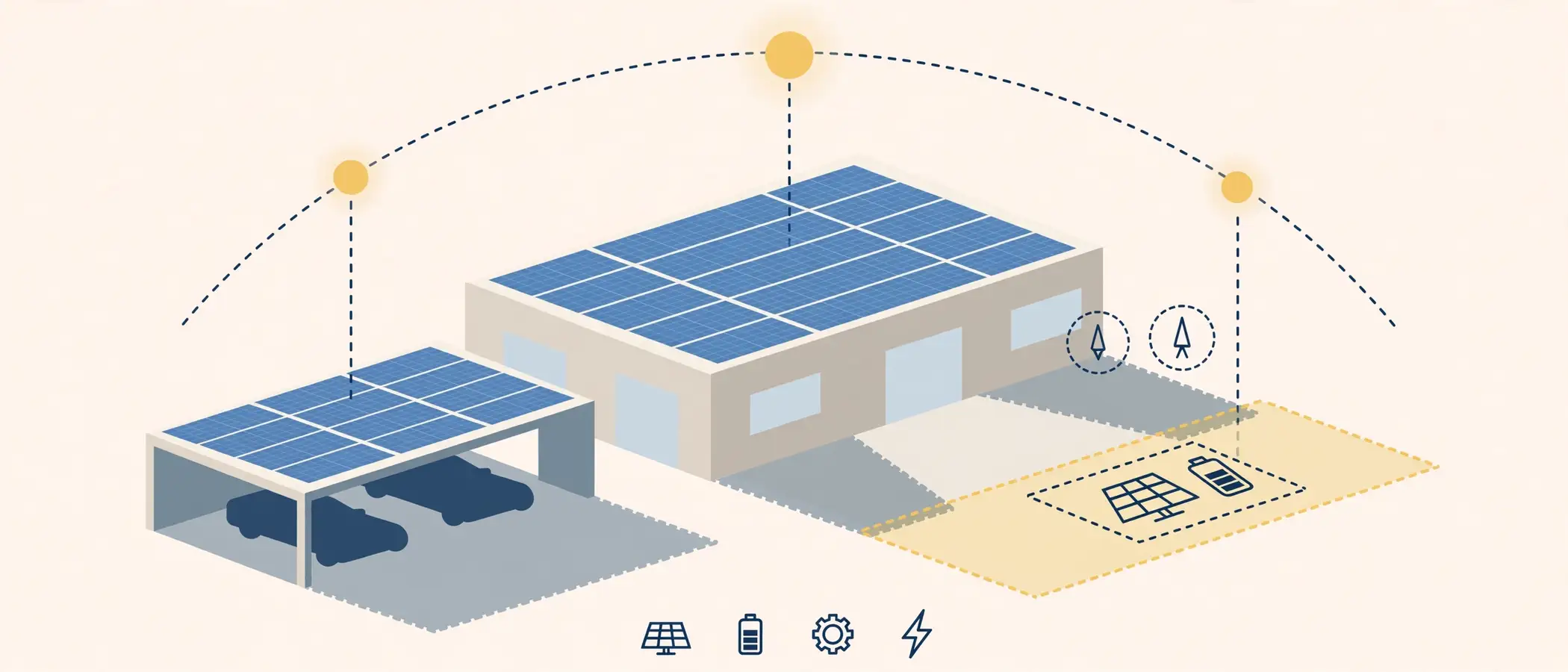
- Rooftop photovoltaic arrays at true scale
- Carport or canopy solar structures
- Reserved “solar-ready” roof zones for future installation
- Building orientation relative to the sun path
- Shadow studies at key times of year
Notably, shadow studies protect more than energy production. They also show neighbors that new buildings will not unreasonably block daylight.
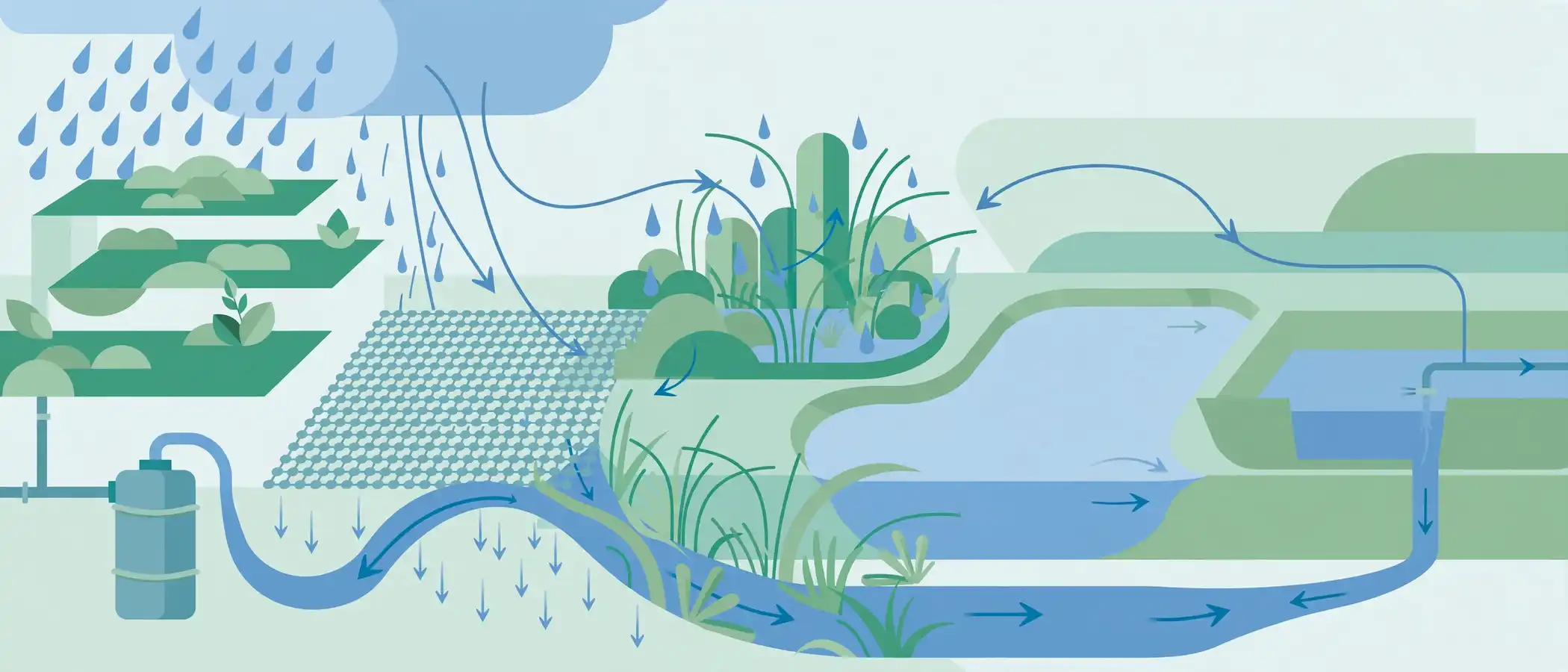
2. Stormwater and Water Efficiency
Water features reward visual explanation. Viewers rarely grasp a bioswale from a calculation sheet, yet they understand it immediately when they see runoff flowing across a rendered site into a planted channel.
Effective renderings display:
- Bioswales and rain gardens
- Permeable pavement areas
- Retention and detention basins
- Green roofs that slow runoff
- Rainwater harvesting tanks, shown as cutaway or ghosted elements
- Arrows indicating the flow of water from roofs and paving to treatment areas
The U.S. EPA publishes helpful background on green infrastructure approaches to managing stormwater, which designers often reference when labeling these systems.
3. Landscape, Canopy, and Biodiversity
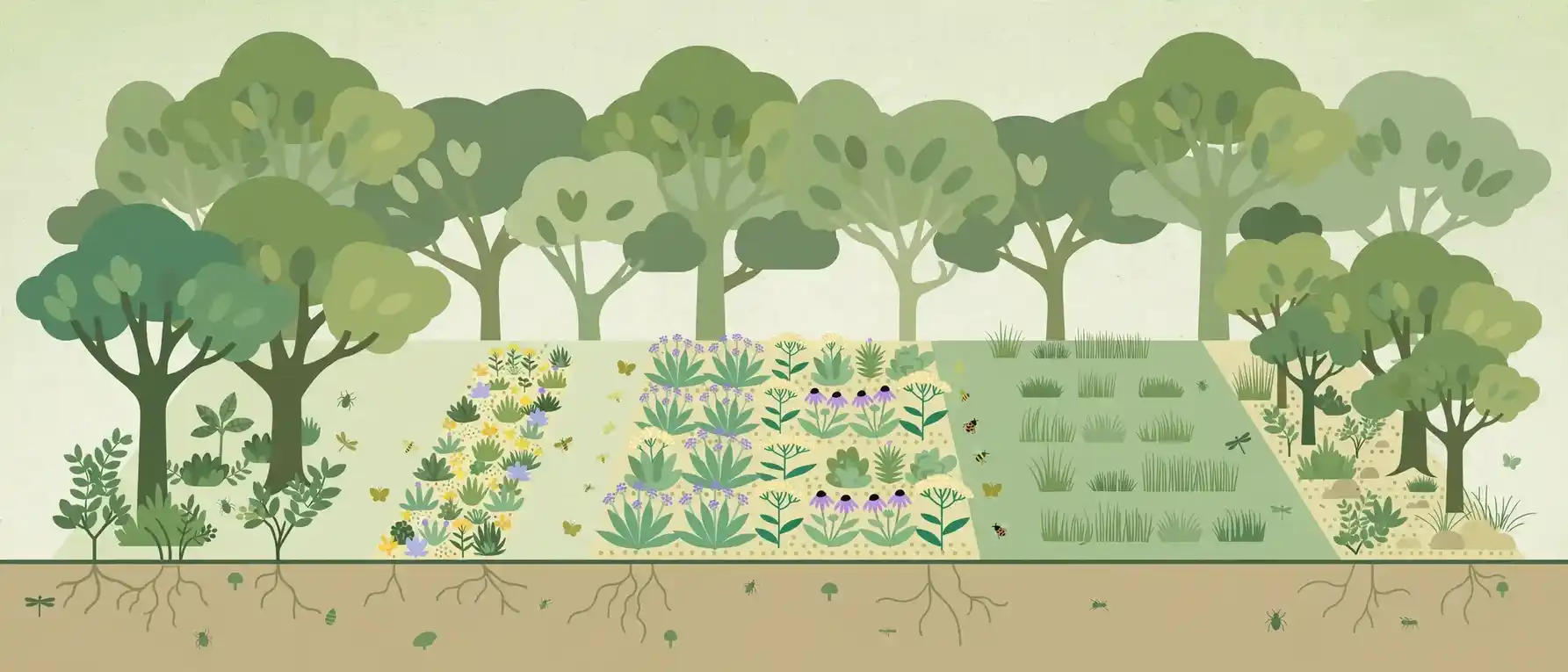
Landscaping carries sustainability value beyond beauty. Native plantings reduce irrigation demand. Mature trees reduce heat. Habitat corridors support pollinators and local wildlife.
A rendering can show:
- Tree canopy at maturity, not only at planting size
- Native and drought-tolerant planting zones
- Pollinator gardens and habitat strips
- Preserved existing trees and natural areas
- Green buffers along property edges
4. Heat Island Reduction
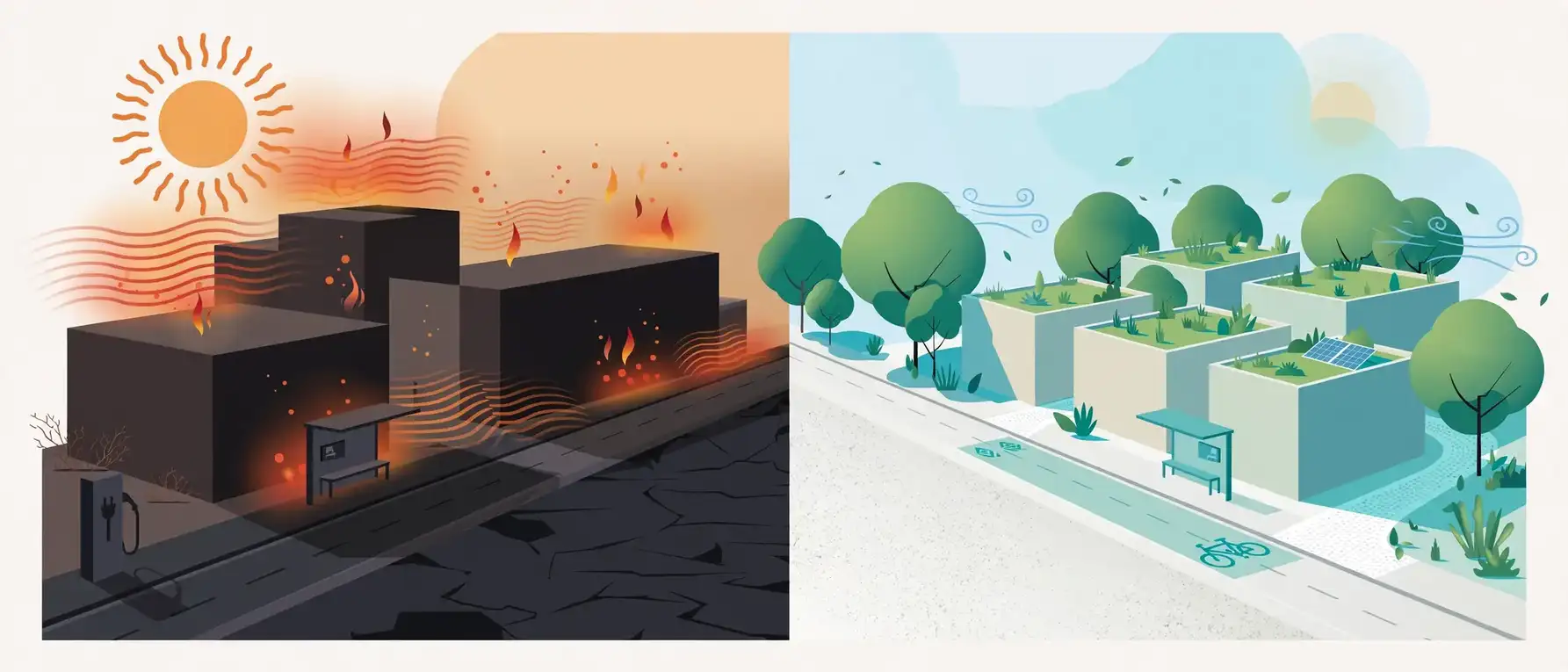
Dark paving and roofs absorb heat. Lighter surfaces, shade trees, and vegetated roofs reduce that effect. In a 3D rendering, material color and shade coverage make the strategy obvious. Reviewers can compare reflective surfaces against shaded zones without reading a single technical page.
5. Sustainable Mobility
Transportation is often a major share of a project’s carbon footprint. Therefore, a green rendering should make low-carbon travel visible:
- Bike lanes, secure bike parking, and repair stations
- Electric vehicle charging bays
- Transit stops and pedestrian paths
- Car-share or carpool pickup zones
- Walkable connections to nearby amenities
6. Open Space and Community Benefit
Green space improves health, stormwater performance, and neighborhood character. Showing parks, plazas, and shared gardens at human scale helps communities see the public benefit of a project.
How a Green Building Site Plan Rendering Supports Certification Goals
Sustainability goals often connect to formal frameworks. Two of the most common are LEED and SITES, along with local green building ordinances.
The U.S. Green Building Council describes how its LEED rating system evaluates sustainable site and building strategies. A site plan rendering does not replace certification documentation. However, it does make the strategies behind credit categories easier to review and discuss.
Mapping Rendering Features to Credit Categories
| Green Feature in the Rendering | Typical Sustainability Theme | Who Benefits From Seeing It |
|---|---|---|
| Permeable paving and rain gardens | Rainwater management | Civil engineers, city reviewers |
| Shade trees and reflective surfaces | Heat island reduction | Planners, community groups |
| Bike storage and EV charging | Low-emission transportation | Lenders, tenants, transit agencies |
| Native planting zones | Site restoration and habitat | Environmental boards, neighbors |
| Solar arrays and orientation | Renewable energy and efficiency | Investors, sustainability officers |
| Shielded lighting zones | Light pollution reduction | Neighbors, wildlife advocates |
| Preserved open space | Community and ecological value | Public review boards |
Why Visual Proof Speeds Up Reviews
Review boards handle many applications. A clear rendering helps them grasp your strategy quickly. Furthermore, it reduces back-and-forth questions, because the visual answers many of them in advance.
How Different Audiences Read a Green Site Plan
One rendering can serve many audiences. However, each group looks for different evidence.
- Municipal planners: They check stormwater, open space ratios, and mobility links.
- Investors and lenders: They look for energy savings, risk reduction, and market appeal.
- Community members: They want to see trees, safe walking routes, and minimal impact on neighbors.
- Future tenants and buyers: They respond to amenities, efficiency, and lifestyle benefits.
- Sustainability consultants: They verify that the design matches the modeled strategy.
Developers in particular gain a lot from this clarity. The article on how commercial real estate developers use 3D site plan renderings explains how visuals support approvals, financing, and leasing, and those same benefits apply when sustainability is the headline.
Step-by-Step: How to Plan a Green Building Site Plan Rendering
Follow this process to get a rendering that communicates your sustainability goals accurately.
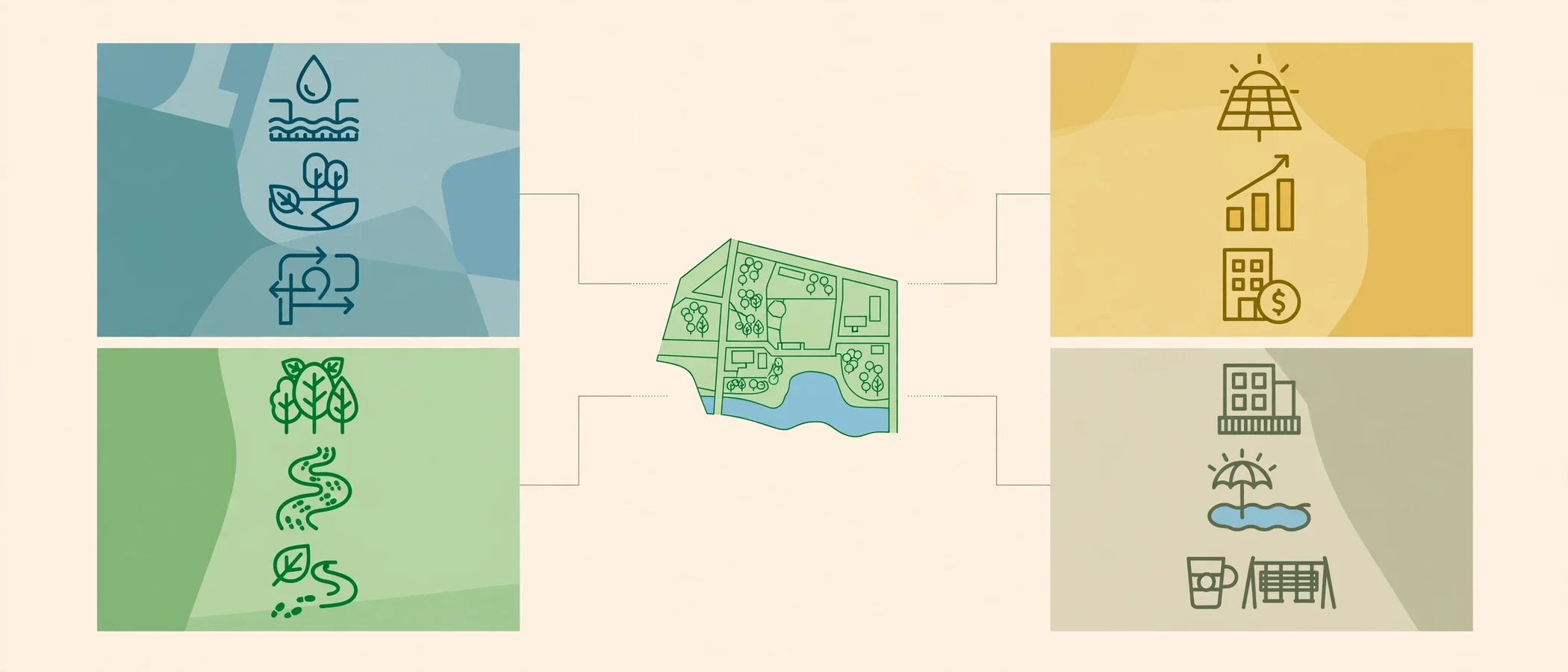
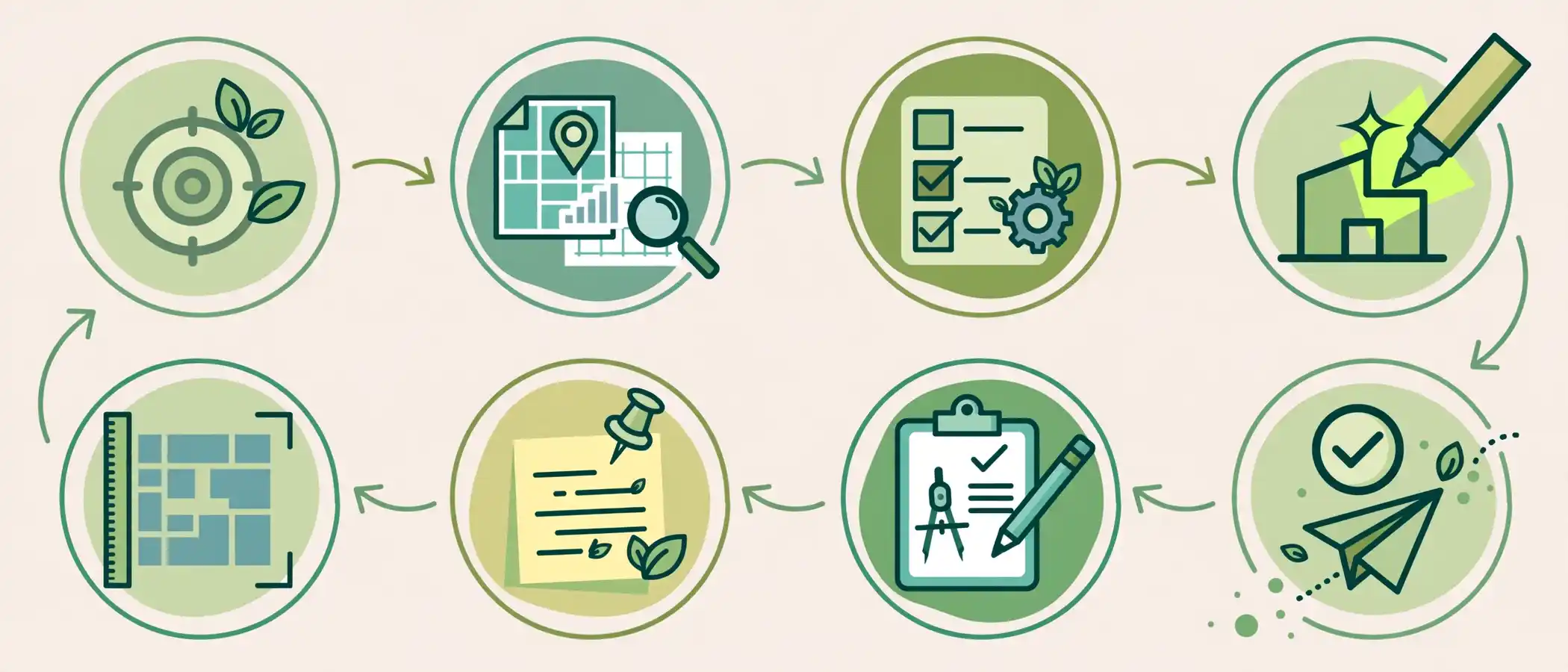
- Define your sustainability goals. List certification targets, local requirements, and client commitments. Specifically, rank the goals that matter most to your audience.
- Gather accurate source data. Collect CAD files, topographic surveys, landscape plans, stormwater diagrams, and solar studies.
- Choose which features to highlight. Not every detail belongs in one image. Instead, pick the strategies that carry the most value.
- Decide on the view and format. Select top-down, aerial oblique, or a series of views. Day, dusk, and seasonal versions can also help.
- Plan the annotation layer. Decide which callouts, legends, and icons will appear, and keep wording short and plain.
- Brief your rendering studio clearly. Send organized files, reference images, and a priority list. The checklist on what to send before starting a site plan rendering project helps prevent delays.
- Review a draft for accuracy. Check scale, orientation, planting counts, and material labels.
- Approve and distribute. Export versions for planning submissions, presentations, websites, and marketing.
Quick Answer: What Should You Send to Your Rendering Studio?
For a sustainability-focused rendering, prepare:
- Site CAD or GIS files
- Landscape and planting plans
- Stormwater and grading information
- Roof plans with solar or green roof zones
- Material and color palettes
- A list of certification or code targets
- Reference images for the desired look
Design Choices That Make Green Features Easy to Read
Technical accuracy matters, but readability matters just as much. The following choices help viewers grasp your strategy quickly.

Use Color With Purpose
Color should carry meaning. For example, reserve one tone for water features and another for solar infrastructure. Consistent color coding lets viewers scan the image without reading every label.
Show Scale and Maturity Honestly
Trees look sparse in year one. Showing them at maturity communicates long-term shade and habitat value. Nevertheless, label the growth stage clearly, so the image stays honest and credible.
Layer Information Instead of Crowding It
Too many callouts create noise. Therefore, build layered versions:
- A clean hero view for general audiences
- A technical view with full annotations
- Feature-focused crops for individual systems
Keep Realism Believable
Over-polished or distorted images damage trust. If your visuals feel off, the article on why 3D site plan renderings look unrealistic and how to fix them explains common causes and solutions.
Include a Clear Legend
A legend turns a pretty picture into a working document. List each symbol, color, and feature type, and keep wording simple.
Green Building Site Plan Rendering vs. Hand-Drawn Methods
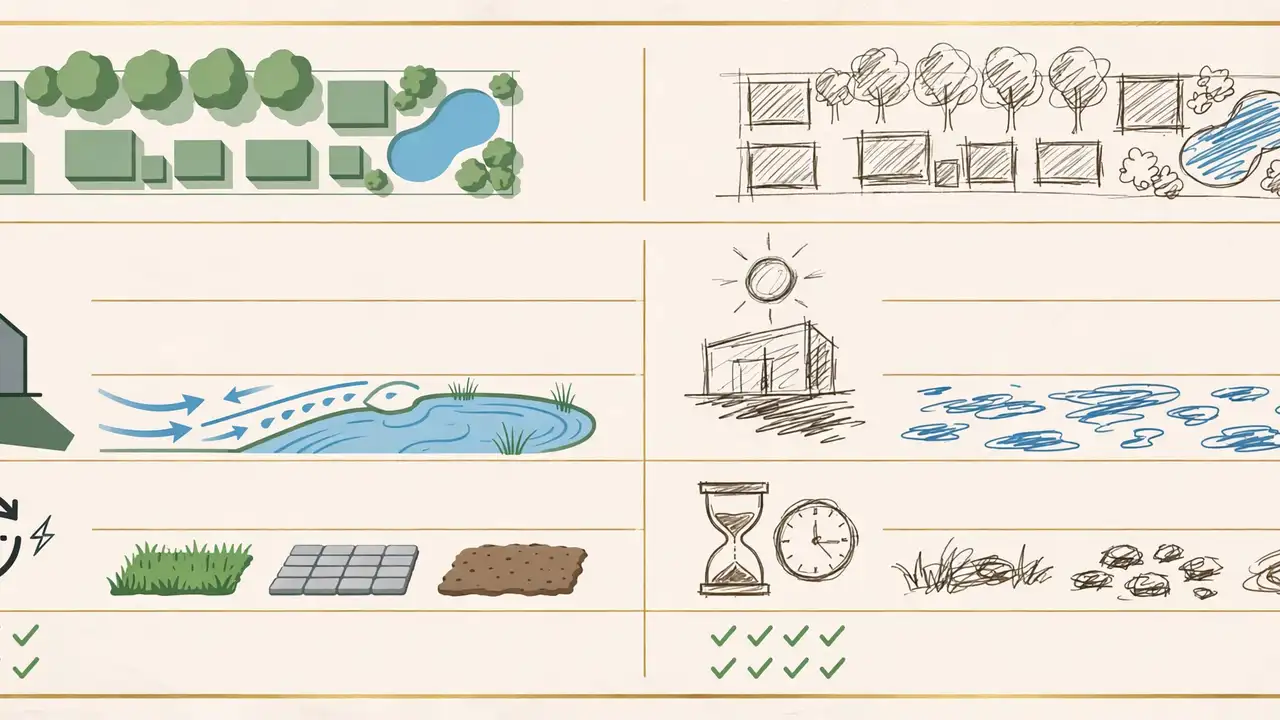
Hand-drawn plans still have artistic value. Yet they struggle to show shadow, canopy volume, and multi-layer systems accurately. The comparison below shows where each approach fits.
| Factor | Hand-Drawn Site Plan | 3D Green Building Site Plan Rendering |
|---|---|---|
| Solar and shadow accuracy | Limited, mostly estimated | Calculated from the 3D model |
| Stormwater visualization | Symbolic arrows only | Spatial flow with terrain context |
| Revision speed | Slow, manual redraws | Faster, model-based edits |
| Material realism | Stylized | Photoreal or stylized on demand |
| Consistency across versions | Varies by artist | High, from one master model |
| Best use | Early concept sketching | Approvals, investor decks, marketing |
For a deeper look at this trade-off, read the breakdown of hand-drawn vs. 3D rendered site plans.
Common Mistakes When Showing Sustainability in Site Plan Renderings
Even strong projects lose impact when the visuals miss the mark. Watch for these pitfalls.

- Greenwashing through imagery. Adding lush trees that are not in the landscape plan misleads viewers and erodes trust.
- Hiding the data behind decoration. Beautiful images without labels leave reviewers guessing.
- Showing only the finished look. Missing the phasing, maturity, or seasonal view weakens credibility.
- Ignoring scale. Oversized solar arrays or undersized buildings distort perception.
- Mixing outdated files. Old CAD versions create mismatches with the final design.
- Overloading one image. Too many icons and callouts overwhelm the eye.
- Skipping the neighbor perspective. Communities want to see edges, buffers, and shade impacts.
- Forgetting accessibility. Low-contrast colors make the image hard to read for some viewers.
Expert Tips for Stronger Sustainability Storytelling
Experienced visualization teams follow a few reliable habits.
- Lead with the strongest feature. Put your best sustainability story in the hero view.
- Match visuals to documents. Every callout should tie back to a plan sheet or report.
- Show before-and-after. Compare existing conditions with proposed green improvements.
- Add seasonal variations. Spring bloom, summer shade, and autumn color demonstrate year-round value.
- Use motion when helpful. A short fly-through can reveal stormwater paths and walking routes.
- Design for reuse. Export versions for submissions, social media, website banners, and brochures.
- Be transparent. Label assumptions, such as tree maturity or planned future phases.
A Practical Insight From Project Work
Projects tend to move faster when sustainability visuals are planned at the start rather than added after design is complete. Early planning means the 3D model already includes the right data layers. In addition, it prevents last-minute rework when a review board asks for clearer environmental evidence.
Use Cases: Where Green Site Plan Renderings Deliver Value
Residential Developments
Home builders can show shared green space, solar-ready roofs, and walkable street layouts. Buyers see lifestyle and efficiency benefits at once. Clear visuals also help builders at the residential scale win trust earlier in the sales conversation.
Commercial and Mixed-Use Projects
Office parks, retail centers, and mixed-use districts benefit from visuals that show energy strategy, transit access, and tenant amenities. Lenders and tenants increasingly ask about sustainability performance.
Campuses and Institutions
Universities, hospitals, and corporate campuses often publish sustainability commitments. A rendering demonstrates those commitments in physical form.
Public and Municipal Projects
Public agencies use renderings to share environmental goals with residents. Moreover, clear visuals make public meetings more productive.
Urban Planning and Masterplans
Large-scale plans depend on visual clarity. Planners often combine green corridors, transit, and density in one view, and the article on how urban planners use 3D site plan rendering for city planning explores that scale in detail.
Sustainability Metrics Worth Annotating on the Rendering
Numbers give a green rendering credibility. However, only include metrics that your design team can verify. Add short, plain-language callouts that connect each visual to a measurable target.
Useful metrics to annotate include:
- Pervious surface percentage: The share of the site that allows water to soak into the ground
- Tree canopy target: Planned coverage at maturity, with the growth timeline noted
- Rooftop solar capacity: Estimated array size, or the area reserved for future panels
- Stormwater capture volume: The amount of runoff the site is designed to hold or treat
- Open space ratio: Total green or shared space compared with the building footprint
- Mobility amenities: The number of bike spaces and EV charging bays
- Native planting share: The portion of landscaping that uses regional species
Keep each callout to one short line. Then place a fuller data table in the accompanying report. As a result, the image stays clean while the evidence stays available.
Quick Answer: How Many Callouts Are Too Many?
Aim for 8 to 12 callouts on a hero image. Beyond that, split the content into feature-focused views. Readers scan visuals quickly, so fewer and clearer labels almost always perform better.
Phasing, Maturity, and Long-Term Performance
Sustainability is not a single moment. Landscapes mature, solar arrays expand, and stormwater systems settle into their working form. A rendering that only shows day one misses most of that story.
Consider building a small series of views:
- Opening day: Shows the site as delivered, with young plantings and initial infrastructure
- Year five: Shows early canopy growth and established swales
- Full maturity: Shows the long-term shade, habitat, and cooling benefits
- Future phases: Shows planned solar expansion or additional green space
Phased visuals help planners understand the full intent. They also help investors see that environmental value grows over time rather than staying fixed. Importantly, each view should state its assumptions, so nobody mistakes a mature-tree image for a day-one condition.
Choosing the Right Rendering Partner for Sustainability Projects
Not every studio understands environmental design. Look for a team that treats your data as a technical brief, not just an art direction request.
Ask these questions before you hire:
- Does the studio work from CAD, GIS, and landscape files directly?
- Can the team add accurate shadow and orientation studies?
- Will they label materials, planting zones, and water features consistently?
- Do they offer layered outputs for different audiences?
- Can they revise quickly when the design changes?
- Will they flag inconsistencies in the source files?
A knowledgeable partner will challenge unclear inputs and ask for clarification. That behavior protects accuracy, which matters more in sustainability work than in almost any other rendering category.
Repurposing One Rendering Across the Project Lifecycle
A single, well-built model can support many stages of a project. Because the data already exists, each new use costs far less than starting from scratch.
| Project Stage | How the Green Rendering Helps | Typical Output Format |
|---|---|---|
| Pre-application meetings | Shows early sustainability intent to planners | Annotated aerial view |
| Public hearings | Explains benefits to residents in plain language | Large-format boards, slides |
| Investor presentations | Demonstrates efficiency and risk reduction | Pitch deck visuals |
| Pre-sales and leasing | Highlights lifestyle and operating-cost benefits | Brochure and website images |
| Construction updates | Aligns contractors with the green design intent | Reference sheets |
| Sustainability reporting | Illustrates delivered features for stakeholders | Report graphics |
Practical Tips for Reuse
- Request a clean version without labels for marketing use
- Ask for separate files for each sustainability system
- Keep one master color legend across every output
- Store the original model files for future phases or revisions
- Update the rendering when the design changes, so no outdated image circulates
Accessibility and Clarity: Designing for Every Viewer
Sustainability visuals should be easy to read for everyone, including people who see color differently or view the image on a phone. In practice, accessible design also improves clarity for the general audience.
Follow these simple guidelines:
- Choose high-contrast colors for labels and legends
- Pair color coding with icons or patterns, not color alone
- Keep text large enough to read on a mobile screen
- Write descriptive ALT text for every published image
- Avoid placing labels over busy textures
Google also indexes the mobile version of your pages first. Therefore, make sure the mobile layout shows the same images, captions, and ALT text as the desktop version.
Measuring the Impact: Leads, Approvals, and Brand Authority
Sustainability visuals are not decoration. They support business outcomes. Teams typically track:
- Approval efficiency: Fewer review comments and shorter revision cycles
- Stakeholder confidence: Better reception at investor and community meetings
- Lead quality: More inquiries from buyers and tenants who value sustainability
- Brand authority: Stronger positioning as a credible, forward-thinking developer
- Content reuse: One asset set that supports marketing, submissions, and presentations
Because AI-driven search increasingly answers questions directly, original and well-labeled visuals also help your brand stand out as a trustworthy source. Unique imagery that shows real project data offers value that generic content cannot match.
Frequently Asked Questions About Green Building Site Plan Rendering
What is a green building site plan rendering?
A green building site plan rendering is a 3D visualization of a development site that highlights sustainable features such as solar panels, stormwater systems, native landscaping, and low-carbon transportation. It shows these elements in accurate scale and context.
How does a 3D site plan show sustainability goals?
A 3D site plan shows sustainability goals by placing each green feature in real spatial context. Viewers can see solar orientation, water flow, planting zones, and mobility connections together, rather than across separate documents.
Can a green building site plan rendering help with LEED or other certification?
A rendering does not replace formal certification documents. Nevertheless, it helps teams and reviewers understand strategies tied to credit categories, which makes discussion and verification smoother.
What features should a green site plan rendering include?
Include solar-ready roofs, stormwater features, permeable surfaces, tree canopy, native planting, bike and EV infrastructure, and open space. Add a legend and short callouts to explain each element.
How accurate are sustainability visuals in a 3D site plan?
Accuracy depends on source data. Renderings built from current CAD, GIS, and landscape files reflect the real design closely. Clear labels for assumptions, such as tree maturity, keep the visual honest.
Who benefits most from a green building site plan rendering?
Developers, architects, landscape designers, planners, and public agencies all benefit. In addition, investors, tenants, and community members gain a clearer view of environmental value.
Is a green building site plan rendering worth the investment?
For projects with sustainability commitments, it usually is. Better visuals tend to reduce review friction and support stronger investor and community conversations. Scope, number of views, and annotation depth are the main cost drivers, so define them early.
Conclusion: Make Your Green Strategy Visible
A green building site plan rendering turns invisible sustainability strategy into visible, verifiable evidence. It shows solar access, stormwater management, landscape value, and sustainable mobility in one clear image. Better still, it gives planners, investors, and neighbors a shared view of the project’s environmental intent.
To recap, remember these essentials:
- Define sustainability goals before the model begins
- Provide accurate, current source files
- Highlight the strongest features with clear color, labels, and legends
- Show scale and maturity honestly
- Reuse the visuals across approvals, presentations, and marketing
Strong sustainability communication also builds trust, and trust supports approvals, financing, and sales. For further reading on certification frameworks, the Sustainable SITES Initiative offers guidance on sustainable land design and development.
Ready to show your environmental strategy with precision? Request a sustainability-focused 3D site plan rendering from UALOSH and give your project the visual clarity that wins approvals and investor confidence.